Thor Broadcast Logo
Iniciar sesión
Carro (0)
  • en EN
  • Productos
    • CATV Moduladores
      • HDMI los Moduladores de RF
      • HD-SDI convertidores
      • IP para CATV Moduladores Borde
    • DVB Codificadores
      • Los Codificadores De Vídeo
      • Hdmi RTSP RTMP, RTSP Codificadores
      • Transcodificadores, MPEG Convertidores, IP ASI puertas de enlace
    • Decodificadores (IRD y STB)
      • RF Decodificadores del IRD
      • Difusión IP Decodificadores
      • RF CATV de IPTV y OTT STB del
    • Satélite Moduladores
      • DVB-S/S2 Satélite Moduladores
    • De Fibra Óptica De Transporte
      • SDI a lo largo de la Fibra
      • SDI SD/HD/3G con CWDM
      • TV por Cable CATV RF 45-900Mhz
      • L del Satélite en la Banda de RF 45-3000Mhz
      • Datos y Ethernet en fibra
    • Wireless HD SD de Vídeo de Transporte de Datos
      • Wireless HD de Vídeo SD con los Datos de los Equipos
    • Descuento De Inventario
      • Nuevos Equipos De Transmisión En Venta
      • Laboratorio de Equipos de transmisión Utilizados en venta
      • Última Generación De Equipos De
  • About
  • Cartera De Clientes
  • Apoyo
      • Support Center Apoyo
      • User Manuals Manuales
        de Usuario
      • Request an RMA Solicitar una
        RMA
  • ⬇Download
    • Manuals
    • Datasheets
    • Quick Guides
  • Case Studies
    • THOR Gym
    • THOR Stadium
    • THOR Hotel
    • THOR University
  • Videos
  • Contacto
  • Conviértete en un revendedor
  1. Productos
  2. HDMI los Moduladores de RF
  3. Petit HDMI RF MODULATOR
back

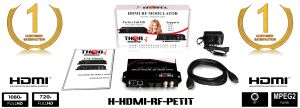
Petit HDMI RF MODULATOR

Model: H-HDMI-RF-PETIT
Qty: 51
Product image Previous Next
Product image
Product image
Product image
Product image
Product image
Precio: $469.00
Disponibilidad: En stock Condición: nuevo QR Code Petit HDMI RF MODULATOR
Envío: starting at $0.00 Garantía: 1Yrs
Cantidad:
preguntar por el producto
Enviar petición
Descripción Caracteristicas Dibujos Vídeo Models Accessories Especificación Q&A
Documents
  • Manual
  • Datasheet
  • Quick Guide
Apoyo

Descripción

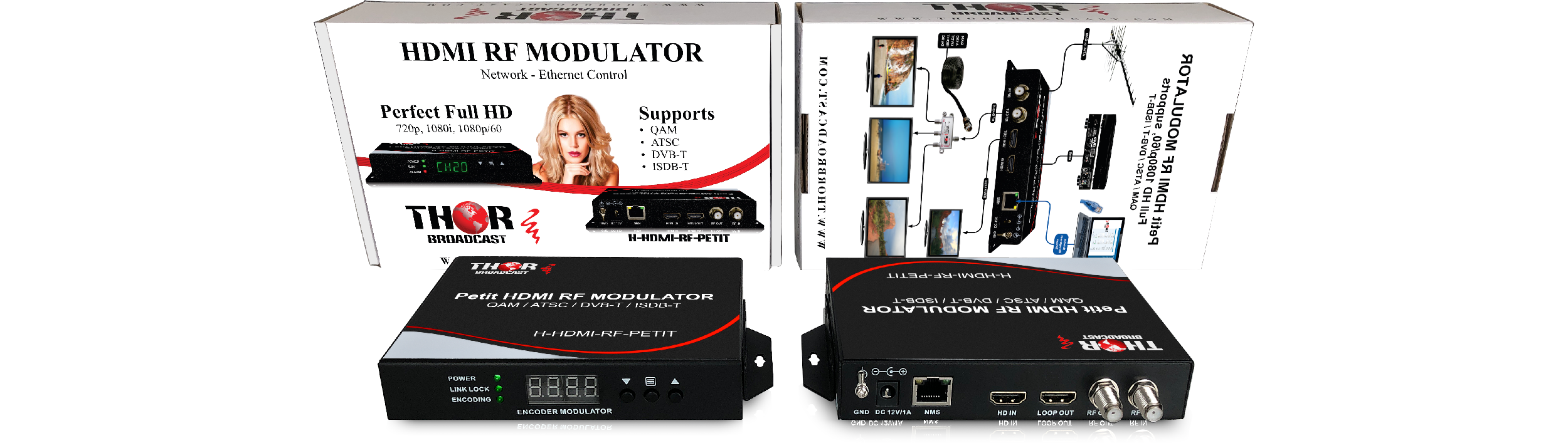
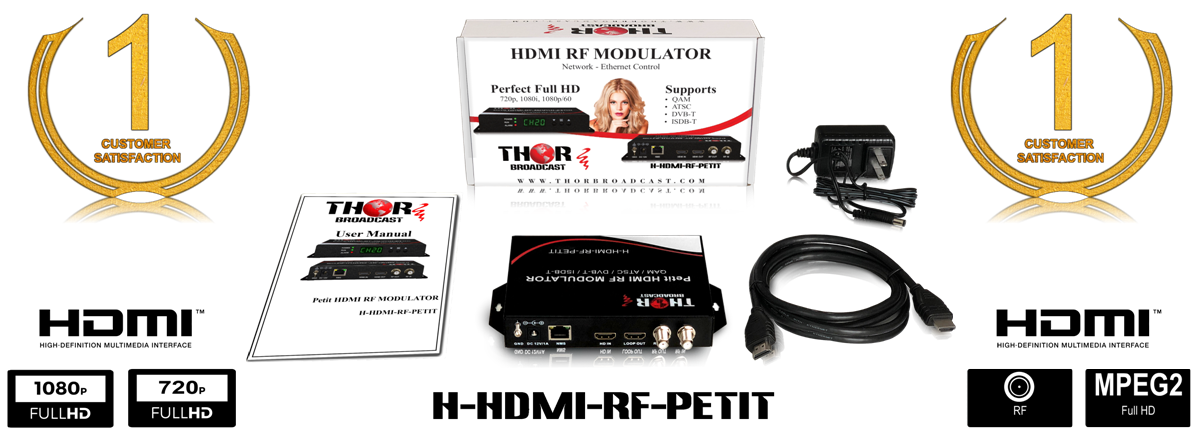
Perfect HD up to 1080P/60  HDMI to Coax RF DIGITAL MODULATOR, Network - Ethernet Control

The most unique and cost-effective Networked Digital HDMI RF modulator. Designed to allow any HDMI source like an STB, satellite receiver, HDMI camera, DVD player, Computer, and a ROKU device.You can convert to any RF TV channel of your choice. 

This Thor Modulator is an all-in-one device integrating  HD MPEG2 encoding with AC3 Dolby Audio with an internal digital modulator. Converts HD audio/video signals from any device into DVB-C/T/ATSC/ISDB-T RF output.
The unit supports any HD source with the following video resolutions: 720p, 1080i, 1080p

Simply connect to any PC and control the unit via Thor Broadcast's proprietary GUI which has been touted as being the best on the market.

This unit is plug and play and has exceptional quality for a very low price to help anyone with any budget create their very own RF channel which can be viewed on thousands of televisions simultaneously. 

Tags: Coax to HDMI Digital TV Modulator RF Modulator

Caracteristicas

  • HDMI Input - HDCP compliant ( works with any HDMI device )
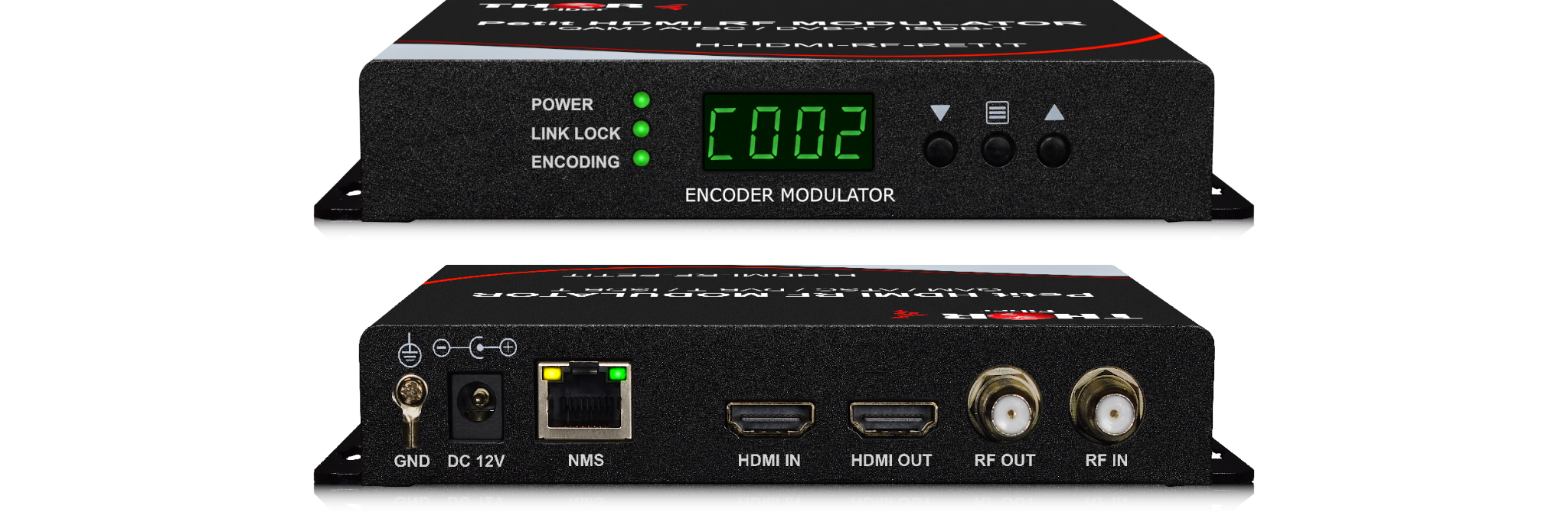
  • 10/100 Ethernet NMS port for control, setup, and monitoring
  • RF output could be set to any CATV format as QAM, ATSC, DVB-T, or ISDB-T 
  • RF output power is +24dbmv; enough for distributing HDTV video to 100's TV over the existing coax cable network
  • RF power could be controlled over the network via NMS Gui (Proprietary)
  • MPEG2 video encoding
  • AC3 Audio encoding
  • Video bit rate 1-19.5Mbps can be managed over the network
  • Supports any CATV RF agile channels from 57-1000Mhz, channels  2 -135,
  •  Supports output resolutions up to 1080p
  •  Easy to set up via NMS.
  •  Small size and lightweight
  • Includes wall-mount type rack ears
  •  Install multiple units onto your TV system
  • The powerThe supply is included
  • The HDMI cable is included

Additional optional accessories:

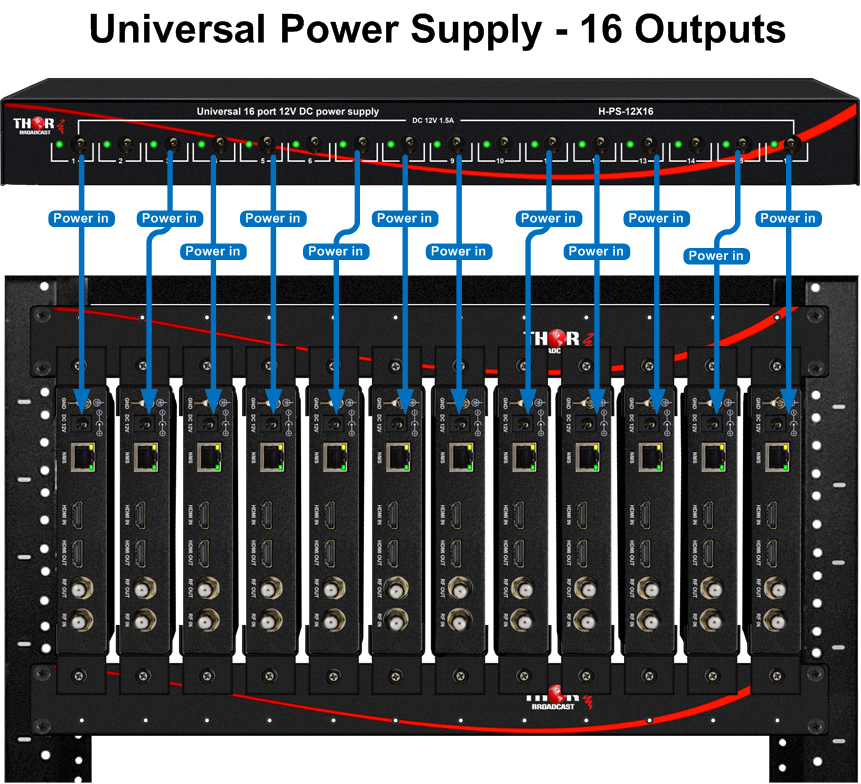
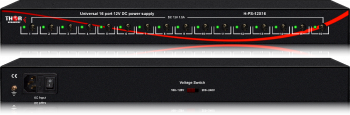
H-PS-12X16 -  Rackmount 19" Power Supply 16 port 12V 1.5A DC


Dibujos

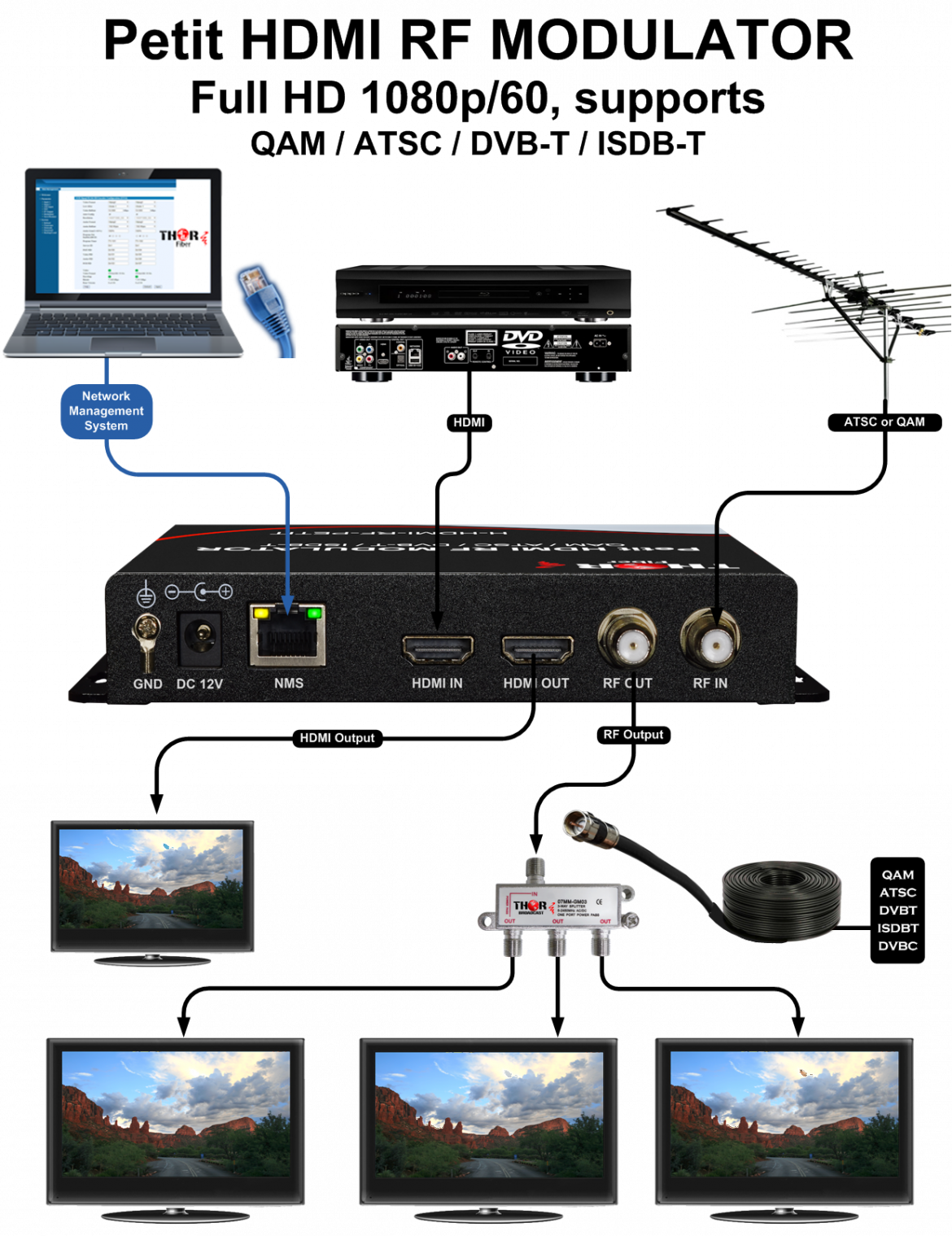
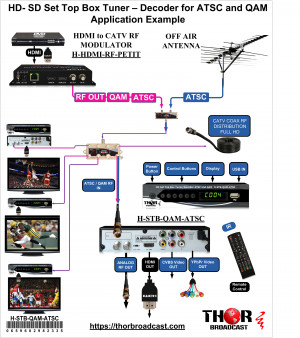
Application Examples

Using ATSC QAM Set top box with the HDMI modulator


Vídeo

Product Video
Thor HDMI to Coax FULL HD 1080p60 Digital modulator QAM, ATSC, DVB T, ISDB T with HDMI LOOP WEBNMS
$291.89 - ALL new THOR BROADCAST Full HD 480i, 720p, 1080i, 1080p HDMI, HDCP compliant, digital, Agile COAX modulator for QAM ,over-the-air ATSC 8VSB, ISDB-T, and DVB-T. MPEG2 encoding with AC3 Audio encoding, Data rate up to 22Mbps, Perfect for educational, sports bar, private houses HD over Coax distribution currently on Sale, the best price on the market 291.89 https://thorbroadcast.com/product/petit-hdmi-rf-modulator.html
Product Video
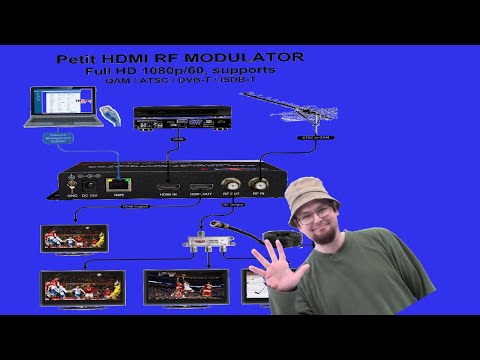
THOR - Petit HDMI RF MODULATOR - HDMI to Coax - ATSC QAM DVB-T or ISDB-T - How to set up
Perfect HD up to 1080P/60 HDMI to Coax RF DIGITAL MODULATOR, Network - Ethernet Control https://ebay.us/JVMfNZ The most unique and cost-effective Networked Digital HDMI RF modulator. Designed to allow any HDMI source like an STB, satellite receiver, HDMI camera, DVD player, Computer, and a ROKU device.You can convert to any RF TV channel of your choice. This Thor Modulator is an all-in-one device integrating HD MPEG2 encoding with AC3 Dolby Audio with an internal digital modulator. Converts HD audio/video signals from any device into DVB-C/T/ATSC/ISDB-T RF output. The unit supports any HD source with the following video resolutions: 720p, 1080i, 1080p Simply connect to any PC and control the unit via Thor Broadcast's proprietary GUI which has been touted as being the best on the market. This unit is plug and play and has exceptional quality for a very low price to help anyone with any budget create their very own RF channel which can be viewed on thousands of televisions simultaneously. TO buy one on Ebay https://ebay.us/SCDyni  Features HDMI Input - HDCP compliant ( works with any HDMI device ) 10/100 Ethernet NMS port for control, setup, and monitoring RF output could be set to any CATV format as QAM, ATSC, DVB-T, or ISDB-T RF output power is +24dbmv; enough for distributing HDTV video to 100's TV over existing coax cable network RF power could be controlled over the network via NMS Gui (Proprietary) MPEG2 video encoding AC3 Audio encoding Video bit rate 1-19.5Mbps can managed over the network Supports any CATV RF agile channels form 57-1000Mhz, channels 2 -135, Supports output resolutions up to 1080p Easy to set up via NMS. Small size and light weight Includes wall-mount type rack ears Install multiple units onto your TV system Petit HDMI RF MODULATOR https://thorbroadcast.com/product/petit-hdmi-rf-modulator.html #CoaxtoHDMI #DigitalTVModulator #RFModulator #WirelessHDMI Wireless HDMI - Does it really work THE HAPPY SATELLITE NERD EPISODE 89.1 In this video I talk about a great tool for your #FreeSatelliteTV setup where you can use this modulator to set up your own TV Channel though Coax and have your favourite channel on ATSC 12.1 By default the Petit HDMI RF Modulator broadcasts to Cable QAM Channel 2 but you can move the channel by selecting the up or down button! Come and join our Discord Chat server and chat Satellites https://discord.gg/eCUw7xw https://www.youtube.com/user/ottawaoctane/videos https://www.facebook.com/RobbieStrikeVideos/ https://twitter.com/robbiestrike3 (c) Robbie Strike 2020 http://www.RobbieStrike.com www.FreeSatelliteTV.net
Product Video
HDMI Modulator QAM ATSC DVB-T ISDB-T NMS IP Connection and Control Instructions for H-HDMI-RF-PETIT
This video shows you how to connect Thor H-HDMI-RF-PETIT to your network. You can control, change any setting such modulated channel number, modulation format, name of your channel and set the VCT, virtual channel number, Increase or decrease RF output power. All IP controlled devices like ours have their own IP address and in order to communicate with it, the PC needs to match the device subnet. for Example our unit static default IP address is 192.168.1.10 and your PC is set to DHCP and IP address is 192.168.0.10, you would need to go and change Your computer nic address to 192.16.1.xx , the xx is between 1-254 but can not be 10, because it would be repeating IP. This is just the nature of TCP/IP Ethernet. The easiest way to verify your IP address is to type in windows CMD and type " ipconfig" , the command prompt will show you the computer network information and IP address. We agree that the IP settings might not be known to all our customers, We made a special step by step document to make it easy, we will also make a video instructional video. Once the device is set to the specific channel and modulation, most likely this is the only time you need to connect it to the device. Please note that most settings you can do on the front of the units, change the channel and modulation. this is the link to the instructions: https://thorbroadcast.com/upload/files/394/how-to-connect-hdmi-rf-petit-to-pc-via-ethernet.pdf This is a link to the product specifications : https://thorbroadcast.com/product/petit-hdmi-rf-modulator.html
Product Video
BUDGET CHURCH VIDEO DISTRIBUTION | HD Video Over Coax | Thor HDMI RF Petit - REVIEW & INSTALL
Consider supporting us on Patreon ► https://patreon.com/ajaytheceo Thor HDMI RF Petit Modulator ► https://amzn.to/2ZVT9OD 1,000 Ministries Sharing God's Word ► http://bit.ly/1000churches Church Live Streaming 101 - https://modernmediaministry.com OBS Complete Bundle ► https://www.ajaytheceo.com/digital/bundles Subscribe for more! - http://bit.ly/2RkM4TT In this video, I distribute HD video throughout my church over the existing coax in the walls using the Thor RF HDMI Petit Modulator. == TIMESTAMPS == 0:00 - Video Intro 0:08 - Opener 0:23 - Greeting 0:46 - Equipment Needs 1:56 - Unboxing 4:47 - Old Setup vs New Setup 6:22 - Setup at House with PS4 6:45 - Web Interface Setup 10:04 - PS4 HDMI Loop Through Test 10:58 - Previous Gear 11:54 - New Gear Location 12:16 - Antenna Location 13:26 - Gear Installed 15:14 - Configure for Church 18:12 - Sanctuary Feed Testing 19:38 - Connecting HD Antenna 20:05 - Rescanning for Channels 23:24 - Connecting to other TVs 24:07 - Other TVs Setup 24:45 - Final Thoughts 25:53 - Closing Thor HDMI RF Petit Modulator ► https://amzn.to/2ZVT9OD Maker Link ► https://thorbroadcast.com/product/petit-hdmi-rf-modulator-1.html Blog Entry ► https://ajayholmes.com/reviews/27639/ // NEED SOME HELP WITH YOUR MEDIA MINISTRY? // ○ Get The Book - Modern Media Ministry Made Easy - https://amzn.to/2yWGE6M ○ Book A Consultation - https://ajayholmes.com/consultations ○ START A CHURCH PODCAST FOR FREE - https://grow.ajayholmes.com/podcast ○ GROW YOUR CHURCH YOUTUBE CHANNEL - https://grow.ajayholmes.com/youtube-growth ○ CHURCH LIVE STREAMING CHECKLIST - https://grow.ajayholmes.com/live-streaming-checklist ○ GET ORGANIZED - Sermon Details Spreadsheet - https://grow.ajayholmes.com/sermon-details ○ COMPLETE CHURCH LIVE STREAMING 101 COURSE - https://modernmediaministry.com PERFECT AFFORDABLE WEBSITE HOSTING ► http://bit.ly/2OApEdy FREE STOCK ► https://join.robinhood.com/arthurh504 // MY CURRENT VIDEO GEAR // ○ Camcorder - https://amzn.to/2MHWWHl ○ Video Switcher Mini - https://amzn.to/2znkZYQ ○ Wireless Microphone - https://amzn.to/3bYFysu ○ Shotgun Microphone - https://amzn.to/33u9usk ○ Mixer - https://amzn.to/2MlnRtz ○ Lights - https://amzn.to/3cZxnxp ○ Capture Card - https://amzn.to/33qu5xU ○ Drone 1 - https://amzn.to/2MGXsFv ○ Drone 2 - https://amzn.to/32iaTSB ○ Green Screen - https://amzn.to/33vSeTG // JOIN THE COMMUNITY // ► REQUEST TO JOIN TODAY: http://bit.ly/2KragSq 4-M.E. (Modern Media Ministry Made Easy) is a Facebook Group community of people in ministry just like you were we can share and grow together. Ask your questions, share answers, join private Facebook live streams to grow your media ministry. // FOLLOW ME ON SOCIAL // Website ► https://ajayholmes.com Twitch ► https://twitch.com/ajaytheceo Facebook ► https://www.facebook.com/ajaytheceo/ Twitter ► https://twitter.com/ajaytheceo Instagram ► https://www.instagram.com/ajaytheceo/ // LIKE WHAT YOU ARE SEEING HERE? WOULD YOU LIKE TO HELP? // Consider supporting us on Patreon ► https://patreon.com/ajaytheceo Thank you in advance. // MUSIC USED IN VIDEO // provided by Epidemic Sound https://www.epidemicsound.com/referral/49ape6/ // DISCLAIMERS // I am a participant in the Amazon Services LLC Associates Program, an affiliate advertising program designed to provide a means for sites to earn advertising fees by advertising and linking to www.amazon.com. #hdmiovercoax #hdmimodualtor #churchvideodistribution
Product Video
HDMI Modulator and RF over fiber latency demonstration Thor Petit connected to Fiber optic TX and RX
This is a demonstration for showing you how to do HD video Encoding using QAM modulation and transporting it over 10Km of fiber This Specific setup is for applications where HDMI source " ROKU " device is connected to the HDMI RF modulator H-HDMI-RF-PETIT, the CATV RF channel number 2 created by the modulator then output through Coax is then connected to the CATV RF Fiber optic Transmitter, over single-mode fiber optic cable and over to the CATV RF optical receiver, the receiver converts the optical signal to electrical COAX RF signal again. The encoder modulators add a slight delay to the system, the fiber optic Tx and RX ads only 1ms delay.
Product Video
Unboxing Thor HYBRID 8 HDSDI HDMI Clear CATV RF Modulator QAM, ATSC, DVB T, ISDB T HDCP compliant,
This is a revolutionary 8 channel digital HD/SD HDMI Modulator, equipped with 8 HDMI and 8 HD-SDI inputs, each of the 8 inputs cbn me selected as HDMI or SDI. It is perfect for any environment or headend with different video formats, you do not need to use HDMI-SDI converters anymore It supports all modulation standards, DVB-C Annex A&B QAM, ATSC, European DVB-T, and ISDB-T standards all built in with selection options in the GUI. Video input resolution - full HD up to 1080p/60, AC3 Audio encoding. HDMI HDCP compliant, so it will work with any HDMI sources like a DVD player or STB's. It supports low latency mode, so it can be used for live events, distribute All 8 HD channels over coax. It works as an HDMI to RF coax converter and SDI to coax converter. Generates 8 independent CATV channels of your choice, channels do not have to be agile, you can select each one of them anywhere between 2-135 channel. You can set your own VCT - virtual channel number. Unit can be accessed via PC through NMS port where you can assign IP address and access via any browser, all settings can accessed or changed via front panel display and D-Pad buttons.
Product Video
Broadcast your video to the unlimited TV's build your own private headed HDMI Modulator
This video shows how to build a broadcast CATV RF headend using Thor Broadcast HDMI modulators. Easy to install digital modulators, similar to when archaic analog modulators were still commonly used. Now you can use any video source like security cameras, computers , DVD players, Roku player, Google Chromecast, Cable TV STB, Satellite STB and other HDMI output devices and send the video out as a modulated channel of your choice. The modulator can generate CATV RF CABLE TV QAM or Off the Air ATSC; or used in foreign countries that use DVB-T or ISDB-T. It's a very convenient system because the front panel show modulated channel and all connections are on the back, like HDMI inputs and RF F-type connector outputs. The RF Outputs can be cascaded or, even better, connected to a 1x12 CATV RF combiner, combined coax will have all 12 or more channels on it; and depending how many TV's the signal is being distributed to, might need to use an inline CATV RF amplifier then distributed using RF splitters and taps. Please note that if the coax distance is very long, Thor manufactures easy to use RF over fiber solutions as well. Please note that if the COAX distance is long Thor offers easy to use RF over fiber solutions as well. Link to 12ch setup : https://thorbroadcast.com/product/petit-hdmi-rf-modulator-chassis-system-for-1-12-units.html/254 Link to 1 pettit modulat : https://thorbroadcast.com/product/petit-hdmi-rf-modulator-1.html Other HDMI modulators and IPTV encoder : https://thorbroadcast.com/products/hdmi sdi over coax : https://thorbroadcast.com/products/sdi-converters-sdi-modulators RF over fiber soution: https://thorbroadcast.com/products/cable-tv-catv-rf-45-900mhz
Product Video
How to Create your own Cable TV channel and combine with existing Cable TV or Antenna TV on Coax
Hello so today we are showing you a video on how to combine multiple HDMI modulators, we're combining 3 Thor Broadcast HDMI modulators H-HDMI-RF-Petit units and a Thor H-Thunder-4 unit. We're then using an RF splitter to send those coax feeds to two different TVs. Using various HDMI sources like a fire stick, Roku, CATV Set-Top Box, and Blu Ray we're able to combine the local Off-Air antenna feed along with 5 of our custom made ATSC off the Air Antena Channels. Now you can view any of these programs from any TV using the coaxial cable that's already installed, creating your video channels using RF modulators from THOR BROADCAST link to the HDMI modulators, HDMI over coax used in the video https://thorbroadcast.com/product/petit-hdmi-rf-modulator-chassis-system-for-1-12-units.html/254 https://thorbroadcast.com/product/1-4-or-8-hdmi-digital-rf-encoder-modulator-8230.html/238 https://thorbroadcast.com/product/8-channel-hdmi-and-sdi-clear-catv-rf-modulator-qam-8230.html
Product Video
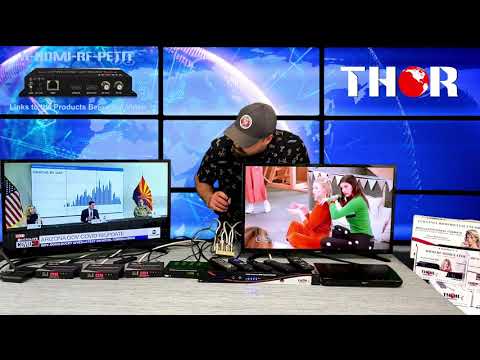
HDMI Digital HD Modulator - CATV over coax distribution - high video quality and low latency
This video demonstration includes our THOR RF PETIT modulator ($384) which is being used to send an HDMI signal, a ROKU stick which is streaming just a countdown timer on YOUTUBE App. You can see from the first TV that the timer is moving in realtime using the HDMI loop-out feature of the HDMI modulator. So the TV's to the right have been sent the CATV QAM signal through an RF CATV 1x8 splitter, then into the back of each tv. As seen, there is a very little delay which makes it excellent for any realtime LIVE event like sports, theatre, house of worship. Using the ROKU stick, the modulated signal is going to the TV's in HD 1080 signal which makes it ideal to stream movies, sports, or anything else you can find online to stream. link to the specifications https://thorbroadcast.com/product/petit-hdmi-rf-modulator-1.html

Selección de modelo

NMS Video instruction describes how to connect and control the H-HDMI-RF-PETIT via your PC over IP Ethernet Network

This is a link to detailed PDF instructions: H-HDMI-RF-PETIT NMS Connection Instructions


Additional optional accessories:

H-PS-12X16 -  Rackmount 19" Power Supply 16 port 12V 1.5A DC

Application Drawing:

CATV RF Splitters and Combiners : 1x2,1x4, 1x8, 1x16, 1x12,1x24


This is a COAX Cable Attenuation chart based on the coax type and frequency. It is very helpful to design and calculate losses within any Coaxial RF distribution system.

Frequency MHz RG-59 dB/100 Ft. RG-59 dB/100 M. RG-6 dB/100 Ft. RG-6 dB/100 M. RG-11 dB/100 Ft. RG-11 dB/100 M.
5 0.89 2.92 0.69 2.26 0.38 1.25
55 1.95 6.4 1.6 5.25 0.97 3.18
211 3.59 11.78 2.87 9.41 1.81 5.94
450 5.3 17.38 4.26 13.97 2.65 8.69
550 5.9 19.35 4.71 15.45 2.94 9.64
750 6.96 22.83 5.59 18.34 3.44 11.28
870 7.54 24.73 6 19.68 3.84 12.6
1000 8.09 26.54 6.54 21.45 4.23 13.87
1450 10.54 34.57 8.3 27.22 5.07 16.63
2250 13.7 44.94 10.6 34.77 6.5 21.32
3000 15.5 50.84 11.9 39.03 7.28 23.96
3500 16.74 54.91 12.85 42.15 8.28 27.16


Attenuation data helps in understanding how much signal loss occurs per unit length of cable at various frequencies, which is crucial for ensuring that the signal strength remains above the required threshold for the system's intended application. This is especially important for long cable runs or for frequencies where the cable type exhibits higher losses.

In designing an RF distribution system, one would typically use such a chart to:

  1. Select the appropriate type of coaxial cable: Depending on the frequency of operation and the allowable signal loss, a designer would choose between types such as RG-59, RG-6, or RG-11.

  2. Calculate total losses: By multiplying the attenuation per unit length by the total cable length, the total expected signal loss can be estimated.

  3. Determine the need for amplifiers: If the signal loss is too high, inline amplifiers might be needed to boost the signal at certain points in the cable run.

  4. Budget for connectors and splices: Each connection or splice in the cable can add additional loss, which needs to be considered in the overall loss budget.

  5. Assess the impact of temperature: Since attenuation can vary with temperature, it's important to consider the environmental conditions in which the cable will operate.


Accessories & Upgrades

Especificación

                     Encoding Section-Video

Encoding

MPEG2

Interface

HDMI*1

Resolution

Input

Output

720@60p

Max. 1080@30p

1080@50i

1080@60p

Bit rate

2.000-24.000 Kbps

                     Encoding Section-Audio

Encoding

MPEG-1 Layer2, MPEG-2 AAC, AC3

Sample rate

48KHz

Bit rate

MPEG1 Layer 2 (128Kbps)

MPEG-2 AAC (VBR)

AC3 (128kbps)

System

Management

Ethernet

Language

English

Upgrade

USB/Ethernet

                      Menu Configuration

Basic

RF range/Key ID/ Service Name/ RF attenuation

Advanced

Service provider/Network ID/ ONID/ TS ID/ Service


ID/PMT PID/VPID/APID/PCR PID/Network

                       Modulator Section

MER

Typ. 35dB

RF range

50-950MHz, 1KHz step

RF output level

100 dB ( 70-100 adj )

Standard

ISDB-T

Bandwidth

6M

Constellation

QPSK, 16QAM, 64QAM

Code rate

1/2, 2/3, 3/4, 5/6, 7/8

Guard interval

1/4, 1/8, 1/16, 1/32

FFT

2K, 8K

Standard

DVB-T

Bandwidth

6M, 7M, 8M

Constellation

QPSK, 16QAM, 64QAM

Code rate

1/2, 2/3, 3/4, 5/6, 7/8

Guard interval

1/4, 1/8, 1/16, 1/32

FFT

2K, 8K

Standard

DVB-C J.83A

Constellation

64QAM, 128QAM. 256QAM

Symbol rate

5.000-9.000Msps adj

Standard

DTMB

Bandwidth

8M

Constellation

GB20600-2006

Standard

ATSC

Bandwidth

6M

Constellation

8VSB

Standard

QAM J.83B

Bandwidth

6M

Constellation

64QAM, 256QAM

                                     General

Power supply

12V1A

Dimensions

103*64*24mm

Weight

300g

Question and Answers

Question:
Hello, I own a small Motel with a self-built Headend. I use standard ATSC/NTSC channels. My modulators are Consumer-grade SD (NTSC) that can NOT be set to output to any frequency(Channel) with an adjacent active channel. My local channels are fed via an Antenna and my Modulator feeds are combined and then sent to my Rooms. I'm looking toward an upgrade and I'm wondering if your Pocket Modulator's outputs can be located on adjacent Channels

Answer:
So our Petit units sound like they would be a better fit for you. However when you say you can put these on adjacent channels, are all your modulators set to be next to each other, or is this the effect of having ATSC and you're not using a channel filter? You can set the PETIT units to any channel you want, so long as there is nothing else on that frequency, so you can put 5 of them on channels 20-24 with no issue. The second option would be using this 4 channel HDMI modulator H-THUNDER-4, also has the ability to generate any frequency ( CATV QAM or ATSC Channels ) independently, So it doesn't have to adjacent, it can be spread out all over the spectrum. https://thorbroadcast.com/product/1-4-8-hdmi-digital-rf-encoder-modulator-full-hd-up-to-8230.html/238 The 8 channel HDMI H-HDCAX-8 has the ability to have separate coax channels per HDMI input https://thorbroadcast.com/product/1-8-hdmi-digital-rf-modulator-cc-closed-captioning.html/95

Question:
I own a small Motel with a self-built Headend. I use standard ATSC/NTSC channels. My modulators are Consumer-grade SD (NTSC) that can NOT be set to output to any frequency(Channel) with an adjacent active channel. My local channels are fed via an Antenna and my Modulator feeds are combined and then sent to my Rooms. I'm looking toward an upgrade and I'm wondering if your Pocket Modulator's outputs can be located on adjacent Channels.

Answer:
So our Petit units sound like they would be a better fit for you. However when you say you can put these on adjacent channels, are all your modulators set to be next to each other, or is this the effect of having ATSC and you're not using a channel filter? You can set the PETIT units to any channel you want, so long as there is nothing else on that frequency, so you can put 5 of them on channels 20-24 with no issue. Also, this 4 channel HDMI modulator, also has the ability to generate any frequency ( CATV QAM or ATSC Channels ) independently, So it doesn't have to adjacent, it can be spread out all over the spectrum. this is the link : https://thorbroadcast.com/product/1-4-8-hdmi-digital-rf-encoder-modulator-full-hd-up-to-8230.html/238

Question:
I am going to set up several TV networks with 10-50 modern flat-screen TV´s in each location (sports arenas). We are going to provide the TV´s with signals from a TV studio. The tv studio has NDI output HDMI and SDI. We would prefer to be able to use NDI so I would like to please ask if you have a suitable product that can take NDI as input?

Answer:
Currently, all of our models are generally uncompressed SDI or HDMI input. NDI is already encoded IP stream, each stream would need to be decoded to HDMI or SDI in order to connect to the encoder. Are you planning to use IP STB's for each TV? The other option would be using Modulators and deliver the video as a modulated DVB-T channels, the latency would be much better than Video over IP Please check this product: https://thorbroadcast.com/product/8-channel-hdmi-and-sdi-clear-catv-rf-modulator-qam-8230.html

Question:
What is most common for a TV receiving an ATSC signal: AC3 or MPEG2 Audio?

Answer:
US ATSC standard Audio format is AC3, All the TV's sold in US support AC3 Dolby Audio, many TV's supports also MPEG2

Question:
How do you select ATSC 8VSB rather than DVB-C Annex J.83b QAM Cable from the front panel?

Answer:
The front panel was made for quick adjustments on the fly like changing the channel. Very simple options on this unit. The process for changing encoding from cable to ATSC from the front panel of the H-HDMI-RF-Petit First: Use the up arrow to select the channel you want (i.e. C015 for channel 15)Second: Once you selected the desired channel, press the menu button (the middle button in between the up and down arrows. Looks like a box with three lines)               The menu button brings you to three options J83b, dhOF (or dhON) and ASRThird: select the option of J836. Once there use the up arrow to go to ATSC (look more like ARSC from the front panel) [easy way to tell ATSC from ASR is that its 4 digits]Fourth: Once on the ATSC press the down arrow to lock it in place. Now you are ready to modulate the H-HDMI-RF-Petit over the air with ATSC! In-depth system changes like switching the modulation format can be done from the GUI which is used through any web browser once connected to a switch or a PC. This is a link how to the pdf explaining how to connect it to PC https://thorbroadcast.com/upload/files/394/how-to-connect-h-hdmi-rf-pettit-to-pc-via-ethernet.pdf

Question:
Will the H-HDMI-RF-PETIT work with the Tivo bolt vox tuner ?

Answer:
Yes, please set the HDMI modulator to ATSC modulation, The tivo support ATSC off-air, doesn't support Cable DVB-C j83b modulation. Scan Tivo tuner, it will find generated by the modulator digital channel

Question:
I have a small restaurant and I want to use an Apple TV with the .Petit HDMI RF Modulator wonder is it compatible to connect the appel tv?

Answer:
So long as the Apple TV is outputting broadcast resolution that our modulator can see; the HDMI input will only detect common DVB resolutions, 480i, 720p 1080i/60, 1080p/60 or 59.95 etc We have many customers using the product like this. Works great so long as you set to any of this video formats outputs from your device

Question:
We are going to try to install our Petit-HDMI to RF modulator tomorrow at our video head-end. I have a lot of equipment there right now. It looks like devices such as Directv receivers, computer, DVD player, etc...currently come out of the device on coax and 2 channel audio that then feeds into what I believe to be Drake fixed channel modulators. There is a Coax out from all 8 or so of those modulators running into a Drake passive combiner. This combiner brings all those sources/channels together and then one coax outfeed is coming out and going to our amplifier I believe. My question is where in this setup do I put the petit HDMI to rf? Also, if I buy more of them how do I get all of them together with multiple channels and have one feed going to our amplifier? I'm guessing that passive combiner we have in place should no longer be used but should be bypassed right?

Answer:
So our unit is a modulator, just like the Drake units you have. So essentially if the Drake units are on fixed RF channels, you need to find a channel that' open/clear. If the drake units are broadcasting on channels, 20-28 then you can place our device on channel 29 so it is not being used. Furthermore, you need to also add our unit to the combiner. If the Drake combiner is only an 8 port and all being used, you can use a simple 2 to 1 combiner, the output of the Drake units, and the output of our units into the 2 to 1 combiner, then the output of that will have channels 20-29 now. This can be directly injected into the amplifier you have on hand and into the rest of your coax infrastructure. You can keep adding modulators, you just need to add them via a combiner like the drakes. So if you want to add 8 more Petite modulators, just get another 8 to 1 passive combiner to combine all the Petites, same as the Drakes, then you can combine the Drakes and Petites by using a second 2 to 1 combiner, or just loop the output of the drakes into one of RF input ports on the second combiner. You just have to make sure all of the units are outputting their programs on different RF channels. By doing this you can add as many units as you have available channels, which is about 135 on the RF QAM spectrum. Each output from each modulator just needs to be combined, so long as they are set to different channels, this should be a seamless addition. Let me know if that makes sense. I can assist in breaking down the process a little further if you like. We have also 4CH H-THUNDER-4 or 8 channel integrated HDMI modulators H-HDCOAX-8, it might be more convenient than using separate Pettit's: there are the links : https://thorbroadcast.com/product/1-4-8-hdmi-digital-rf-encoder-modulator-full-hd-up-8230.html/238 https://thorbroadcast.com/product/1-8-hdmi-digital-rf-modulator-cc-closed-captioning.html/95

Question:
Will the modulators allow pass-thru of a digital cable feed from Comcast or Mediacom? When I tried to feed the input from the cable company through the input and out to the TVs, I was not able to pick up any channels on the cable boxes downstream. Is there a setting that will allow this pass-thru of digital cable to downstream receivers? I have the incoming cable TV signal connected through two of your HDMI-RF-PETIT modulators that are inline with each other then the output of the 2nd modulator goes to a 4-way splitter that feeds four different TVs with a digital cable box at each TV. I'm able to tune in the channels form your modulators but not any channels from the Cable Company.

Answer:
The quick answer is Yes, you can combine Cable RF or ATSC off-air RF signal with our modulators. What kind of modulation are you using on the Pettit modulator? cable QAM or ATSC? Please note that cable TV's are using QAM, so please set the modulations to QAM, that could be one reason. The Petit modulator has a passive 2x1 combiner built into the unit, The combiner has 4.5db loss if you are going from one unit to the second, the Cable TV signal is losing about 9db. Instead of looping through please use external 3x1 combiner, the power from your Cable TT company and power from our modulators needs to be set to similar levels. If you do not have an RF meter, you would need to do some troubleshooting, and educated guessing to see if you can find a happy medium. Please connect it to the combiner first and scan your TV, if you still have only 2 channels from the modulator, please attenuate our signal 5 or 10db on both modulators and scan again

Question:
Hello, I'm an AV integrator and I have a client that wants to upgrade his current video system to HD. I'm experienced in AV, but I have never done anything related to distributing video to a building. It's a senior living facility and they currently use a Drake 300VMF+ to broadcast events on "channel 4". I will be upgrading his 4 PTZ cameras and some other equipment to HD and it looks like the 300VMF+ will need to be upgraded too. Can you help me with this? I can provide an HDMI feed (possibly 3G-SDI), but it will need to have audio added to it. It looks like the H-HDMI-RF-PETIT would be a good choice for my needs, is that right? I'm also not sure which video format is best for distributing to all the TV's in the building. Any help/education would be greatly appreciated, thank you.

Answer:
We have actually better unit for you H-THUNDER-4 https://thorbroadcast.com/product/1-4-or-8-hdmi-digital-rf-encoder-modulator-8230.html/238 Distributing HD signals over existing coax is a very simple task. Our unit will take 1 or more videos and it will create Digital CATV RF QAM or ATSC Off the air channels, By scanning the TV's you will find them and display it. Few Questions How many videos from the PTZ cameras do you have? What is the format of SDI or HDMI? Drake 300VMF+ is an analog modulator, so it created Analog NTSC modulated channel. Our modulators create digital QAM or ATSC, so the TV's in the retirement home need to support it. If the customers would have old tube analog Tv's, QAM STB's would be needed.

Question:
I'm setting up your Petit HDMI RF Modulator and am keeping it simple. I'm putting an amazon fire stick device in the HDMI In port, and coax cable on the RF Out port to feed a tv. I've got the modulator on channel 55 and likewise with the tv via Coax. All I have is static on the tv. Is your device is right out of the box

Answer:
Please check if your second "link" LED is ON, it indicates that our modulator recognize HDMI video resolusion, If the LED is OFF, please change the Video resolution output on your Chrome stick or Fire stick device video output menu to 720p, 1080i or 1080p/59.94 or 60Hz Did you try to rescan your TV? Are you using QAM or ATSC modulation? Our unit ships with QAM out of the box, so double-check what you are using as CATV input standard on your TV and Rescan the demodulation standard. Also, the RF output power might be too high for some TV's please add 10db attenuation on the Modulator setting page, For the TV's which do not support DVB-C Annex B QAM, please set our modulator to ATSC and re-scan the antenna input. If you need support our number is 800-521-8467 ext2, we will be happy to help

Question:
I just bought an HDMI-RF-PETIT. Television in Colombia is DVB-T. 6 Mhz. I need to access the "Modulations Settings" MENU to make the change, but it asks me for a password. What is that password? Thanks for your quick response.

Answer:
Please Log in to the unit via NMS, please go to SYSTEM PARAMETERS MODULATION SETTINGS Password is THOR Change format to DVBT, there are the other selections for ATSC, Annex A, Annex B, and ISDB-T

Question:
I have a small TV network at homeThe main satellite receiver is HD and has HDMI portI'm using now AV modulator to spread the signal over UHF band on our TV's and the picture is not good. So can this product make the same job need the broadcasting to be over UHF band of our TV's Petit HDMI RF MODULATOR

Answer:
Our digital modulator will work in a very similar way as your analog AV analog modulator, but it will generate a much better video quality image. The generated image will be like the original HDMI plugged into the TV. Our modulator will take that HDMI source form your satellite receiver with the following resolutions, 720p/1080i or 1080p 59.94hz/60hz will generate any channel the same way as the analog modulator. The TV will scan this new digital channel and it will display truly HD beautiful high-quality image. we have many customers in Saudia Arabia and attire the middle east region, and because our modulator generates all world modulation standards, it works anywhere in the world on any standard TV, you will use DVB-C QAM annex B, same as in the US. We have also 4 and 8 HDMI modulators available, there are the links: https://thorbroadcast.com/product/1-4-or-8-hdmi-digital-rf-encoder-modulator-8230.html/238 https://thorbroadcast.com/product/1-8-hdmi-digital-rf-modulator-cc-closed-captioning.html/95 or this is 8 channel hybrid H-Hybrid-RF-8 modulator equipped with 8HDMI and 8 SDI inputs https://thorbroadcast.com/product/8-channel-hdmi-and-sdi-clear-catv-rf-modulator-qam-8230.html

Question:
The device itself is good. the manual is limited and assumes the user has a bit of knowledge about IP networking. I bought the Petit modulator to replace other company modulators because the other modulators exhibited subtle audio distortion, as noted by other users. this product, Petit modulator, provides good video and audio quality and is not hard to set up, except for the networking issue. I plan on buying a second Petit modulator to replace my second modulator. Do you have some easy to read instructions?

Answer:
Thank you for your feedback. The most important settings can be accessed by from front panel LCD and buttons, you can change it modulated channel number and modulation format Cable QAM or Off-Air ATSC We realized that the IP settings connection might be confusing, this is why we made a very detailed PDF IP connection document describing step by step options. Also, we created an educational video and posted on youtube: PDF https://thorbroadcast.com/upload/files/394/how-to-connect-hdmi-rf-petit-to-pc-via-ethernet.pdf video instructions https://youtu.be/TogiV2mxAUc The unit has the ability to be set to DHCP and receive an IP address automatically, the only problem with that is that many consumers would not actually know what the assigned IP is, that information would be available by logging into your residential Gateway or cable modem, but it is also not so straight forward, we chose the option to have static default IP address 192.168.1.10 because many routers operate on 192.168.1. XX subnet, in case, if that subnet is different than customers, they can temporarily adjust their network nic card to this default subnet. This is why we created more detailed documentation and instructions; we hope it clarifies this. Once you log into the unit and adjust the desired channel and modulation, this is most likely the only one time you need to do that, you will also have the option to set the unit to DHCP; after the reboot the modulator will get its own IP from the router and will be automatically accessible on your network, but you will need to log into the router manually to check assigned IP address the unit will be listed as THOR PETIT,

Question:

Don't want to buy a 70-foot long RCA cable. I have a piece of RG6 that's 70 feet and an old rf modulator. I know it will do RCA to coax. Will the mod does coax to RCA.?

Answer:

So if you have an old RF modulator, you're essentially making a channel; so on the other end, you need to decode that channel.

https://thorbroadcast.com/product/catv-rf-and-atsc-rf-to-hdmi-decoder-stb-8230.html

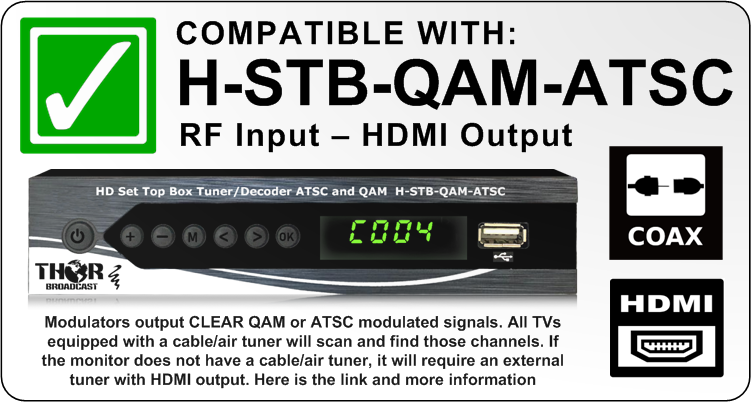
You can also take HDMI output from your Video source and make a Digital channel using H-HDMI-RF-PETIT modulator, HDMI IN - QAM RF Out, then decoded same way using QAM STB H-STB-QAM-ATSC

Question:

How to eliminate delay on a RF-Petit between the encoding times on the HDMI vs Loopout?

Answer:

In order to circumvent the 500ms delay from the encoding times between the HDMI and Looopout you can bypass the HDMI completely and utilize both the RF ports on the Petit. Even though they say "RF IN" and "RF OUT", they can both be used to send RF signals Out without a delay because they are both being encoded at the same rate. You can even connect an RF Splitter/Combiner to those ports so you can connect TVs all throughout your facility at the same encoding time. 

Question:

I have your Petit h-hdmi-rf-petit, I have four tv connected, Two TV are connected HDMI and your device in a HDMI switch, and two TV on Channel 26.1 using your device, there is a slight delay between HDMI output and RF modulation output

Answer:
The modulator needs to process the video content, and it has about 250ms delay, please find a link to the test we did.
https://www.youtube.com/watch?v=b62y5AbdYT0&t=10s
The best way to eliminate any delay would be not to use the HDMI pass-through by connecting your local TV to the same modulator RF output.
RF output connected to 1x2 or 1x4 RF splitter/combiner and connect all tvs to the coax network, this way all TV's will be in sync because all of them would decode the same RF signal.
If you do not have an RF splitter, you can actually connect local TV to the petit RF Input, The input port will have this channel viable as well but 3.4db lower than output; but that will work for your needs.

Question:

I have a customer who needs to add a TV channel to their existing TV network to provide information to the end-users. Their source has an HDMI output. They have about 90 displays spread out on different floors. Following drawing is the best representation based on the information I got from the client. The document also attached. I need guidance on which one of your products to use. Is H-HDMI-RF-PETIT a good product for this situation?

2) Thanks for the quick response. This is the first time I am facing this type of problem, and I appreciate your help. As you see from my drawings, there are about 90 displays existing, spread over several floors, of a county jail. All coaxial connections to TVs are daisy-chained from two outputs of the Blonder Tongue amplifier; see my drawings. I assume each output of the Blonder Tongue amplifier feeds 45 TVs, but I could be wrong. They need to add a channel to the existing rage of channels that broadcast safety and hygiene messages. The TVs are small and mostly old; from old CRT to new 19" flat-panel TVs. Of course, the content will have video and audio, but there is no special resolution or audio requirement. A standard resolution and audio quality would be fine. Latency is not an issue since all displays are very far apart. Now that I think about it, a single HDMI input may not be enough, if they want to add more content later on. Do you have a device that has multiple HDMI inputs? Also, where should this device be placed? After the Vecima box? After the splitter and before the amplifier?

Answer:

Do you have any more information about what the application necessitates besides HDMI? Do you require certain resolution or audio capability? Is the latency or size of a unit an issue? We have a plethora of units that can fit the information you provided. The Petit would seem fine, or the AC3-CMOD, we also have multi-channel units like the Thunder-4... All can take HDMI and output to RF

this is a link to the 8 channel H-HDXOAX-8

https://thorbroadcast.com/product/1-8-hdmi-digital-rf-modulator-cc-closed-captioning.html/95

2) The modulator should be able to feed all of the TV's. I would think you'd want to put it near the other Comcast gear. But it does it's 2 blocks away? Is there another headend room or electronics closet closer to the facility you can put the equipment in? In either case, you can use the RF Petit, or you can use something like the Thunder-4 for multiple HDMI inputs. All you need is a coax combiner, to get the feed from Comcast and our units together. You also should find out which channels are being unused by Comcast so you can put the QAM channels on open frequencies. Comcast also to Inject local video insertion at channel 134 it will show as a channel 1901,1902,1903,1904

Question:

Hello, I am looking for a unit to install at a retirement center for local QAM channel insertion. The unit will need to be able to support at least 2 HDMI inputs to 1 QAM output. Do you offer a unit that can do this? Currently, they have a DigiVU II unit that is acting up

Answer:
So in order to put 2 inputs on one RF channel, you need a slightly more advanced unit with a higher grade encoding chip that can handle the task. 

If you plan on only needing 2 HDMI inputs and don't plan on extending to any further channels, we have a 2 HDMI input model that fits the bill
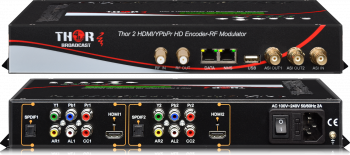
https://thorbroadcast.com/product/2-hdmi-ypbpr-hd-digital-tv-modulator-qam-atsc-dvb-t-8230.html
 
 
If you think the client will need more at some point, we also have a 4 channel HDMI input modulator that will work. 
https://thorbroadcast.com/product/4-hdmi-component-hd-to-coax-and-iptv-hd-8230.html/21
All these units are in stock and will do what you require. 

Question:

Do you have any HDMI PTZ cameras I could use with your Pettit modulators?

Answer:

Please check those HMI /SDI PTZ cameras, very easy to use with our modulator, just connect the HDMI output to the modular input, and your video will be converted to modulated RF
 

https://thorbroadcast.com/product/ptz-20x-zoom-live-streaming-hd-1080p-camera-with-sdi-hdmi-usb-8230.html


https://thorbroadcast.com/product/maximuscontrol-professional-grade-video-ptz-controller.html

Question:

Can I use an HDMI input and RF input simultaneously or is it one input at a time?

Answer:
Yes, that is correct, the RF input is a passive combiner, so Yes, you can use RF input and HDMI input, but the RF Input channels need to be different from the generated RF frequency.
Fort example if the RF Input channels are 2-100, then you would need to generate ch 101 or UP, so they could be combined without canceling each other

Question:

I presently have a dish network set up with the main tv connected to their 722 boxes via HDMI and a 2nd tv connected via RF coax, and it works fine. However, I would like to replace the 2nd TV with a larger TV which does not have a coax connection and TV tuner. Would your QAM CATV RF and ATSCRF to HDMI Decoder (H-STB-QAM-ATSC) solve this problem? The current TV (SONY KDL-32M4000) works just fine. Thank You for your assistance.

Answer:

Unfortunately it would not work, because your output from the Sony is an analog modulated ch 3 or 4 , the STB would only work with a digital QAM or ATSC signal.

But you could do the following.

Use the HDMI out to our HDMI RF digital modulator - Coax out to the STB
The modulator would produce Digital QAM which the STB would see, You will have much better video quality as well since the video will be in HD.

We can offer you the following prices :
Modulator $450
QAM STB  125
this is the link and application example :

https://thorbroadcast.com/product/petit-hdmi-rf-modulator-1.html
 
Let me know if you have any questions or would like a formal quote. 

Question:

Does this unit boost the signal and act as an amplifier?

Answer:
This unit doesn't act as an amp, it's a modulator so it converts HDMI Video/Audio to a modulated TV channel so every TV with an RF tuner can receive it.
This is a very convenient way to distribute HD video to many TV's over Coax cable.
The modulator can be connected to CATV RF passive splitters and supply the signal to at least 24 TV's without any amplifier, with proper amplifiers you could send this video to thousands of TV's on the Coax network, such as a stadium.
The device also has RF input for mixing the signal from an antenna, for example, but this is signal is not being amplified, it comes out at around 35db
I hope this helps and clarifies, if not please give us a call, at 800-521-8467 Ext 2 we will be happy to answer any questions you have over the phone.

Question:
Hi, I recently bought your Petit QAM ATSC modulator. I was able to get it to work with digital channels and it works perfectly! However, I was wondering if there was a way to make this work with analog channels as well. Or if you could tell me a Thor product that would work with analog signals? Thanks!


Answer:

This is a Digital modulate and generate digital QAM or ATSC, it can
not generate analog channel.
You can use this QAM STB after the modulator, it will decode Video to
HDMI, but also it has analog NTSC RF output ch 3 or ch 4 - it is
selectable.
This way you can get Analog RF from the QAM source

This is the link:
https://thorbroadcast.com/product/qam-catv-rf-and-atsc-rf-to-hdmi-decoder-stb-8230.html


Question:

We have been using the device with no issues for 3  Years and all of a sudden the HDMI source is not showing on the output channel and only
thing that shows up is the THOR logo, what it could be ?

Answer:

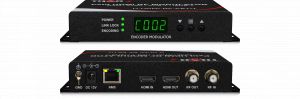
If you have the Thor logo only, it means the modulator does not recognize the incoming HDMI video. Please check the second LED "LINK LOCK"; it is probably OFF. It indicates the Incoming Video Link indicator. OFF means that it is not recognizing the incoming video resolution.

Please do the following:

Log in to your HDMI source like DVD player or Set top box and select only one static video resolution
- 720p, 1080i, or 1080p, but just ONE of them, and uncheck the "Auto" resolution.


Reboot the device, connect to the modulator.
Now you should see the second LED "LINK LOCK" turn ON (turn Green).
Now you should see your content modulated on the TV.

Question:

I bought THOR Petit HDMI, I connected an HDMI video input, I would like to connect 20 HD televisions via Coax, can you please tell me, which splitter I should buy and how to connect them, that would be really nice, Thank you for your kind help.
 

Answer:
Thank you for your inquiry about connecting 20 HD televisions via coax using our THOR Petit HDMI modulator.
 
There are several different techniques you can use to distribute the signal to the televisions, depending on their locations. The Petit modulator outputs 30 dBmV RF power, and the lowest level at which a television can detect a signal is 0 dBmV.
 
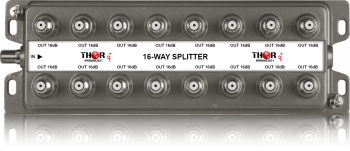
Different splitters have different insertion losses. For example, the H-SP-1x2 has a 4.5 dB loss, the 1x4 has a 7.5 dB loss, the 1x8 has an 11.5 dB loss, the 1x12 has a 12.5 dB loss, the 1x16 has a 14.5 dB loss, and the 1x24 has a 18 dB loss.
 
This is the Web link to the available splitters we have:
https://thorbroadcast.com/product/caox-multiplexers-splitters-combiners-f-type-input-ouput-catv-atsc-or-8230.html
 
Knowing this, you can use a combination of splitters and taps to create zones and save on coax cables. You can also use a combination of splitters and amplifiers if you need to overcome more than 30 dB of loss.
 
Here are some examples of how you could connect 20 HD televisions via coax using our THOR Petit HDMI modulator:
 
* You could use a single 1x24 splitter and run individual coax cables to each television.
* You could use a 1x2 splitter to create two zones, then use two 1x16 splitters to distribute the signal to each television in each zone.
* You could use a 1x4 splitter to create four zones, then use four 1x8 splitters to distribute the signal to each television in each zone.
 
The most important thing is to make sure that you do not lose more than 30 dB of signal. If you need to overcome more than 30 dB of loss, you will need to use amplifiers in your system.
 
This is the link for the RF Amplifiers
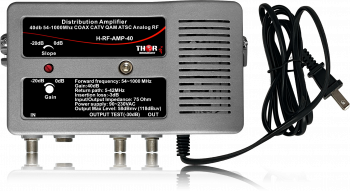
https://thorbroadcast.com/product/40db-bi-directional-distribution-amplifier-54-1000mhz-coax-catv-qam-atsc-analog-8230.html
 

Question:

Is there an app for Samsung tvs to decode/receive the ip stream from Thor petit?

Answer:

Our Pettit modulator features an HDMI input and a CATV RF output, not an IP output. The signal is distributed over coaxial cable, not via IP.

The IP port on the unit is strictly for PC access and internal setup, not for streaming purposes. When you connect the Pettit modulator to a Samsung TV’s RF antenna/cable input, you simply need to perform a TV scan, and the TV will detect it as a channel.

If you need to distribute the signal over IP, we offer various encoders, but you would also require an external IP STB (set-top box) to decode the signal back to HDMI.

Please let me know if this explanation is clear or if you have any further questions.

Question:

Hey guys, I work in an hockey arena. There's TV all over the place with a Technicolor 10242HD plug into in Coax and hdmi to the TV. If i want to send my vidéo signal from my video production into those TV with the Coax, is the Petit the right product? I can send my HDMI signal thru the petit and plug the RF out into the DA where all the Coax are plug into?

Answer:
Yes, the Petit modulator should work well for your application. 
You can input your HDMI signal into the unit and connect the RF output to your DA where all your coaxial lines are connected.


Please note that the Petit is a single-channel RF modulator. How many channels are you looking to distribute? 

Question:

I've got a PC running Windows 10 that I broadcast messages (MP4) throughout housing units in a State prison. We broadcast over coax cable. For many years we've accomplished this using an RF modulator (Model No.3187531 unknown manufacturer. I have the following pieces of equipment on hand now that we're trying to use to make this work: * Thor H-HDMI-RF-Petit-IR * Thor Set Top Box Tuner / Decoder ATSC and QAM H-STB-QAM-ATSC I would really appreciate any direction on how I can make this work close to the way it used to

Answer:
I researched the RF modulator (Model No. 3187531) you mentioned. This is an analog CVBS to NTSC modulator, which creates an analog CATV RF channel format. In contrast, the Thor H-HDMI-RF-Petit-IR is a digital modulator with an HDMI video input and digital QAM output.
 
Please first test the setup with a single TV. Analog systems required much stronger RF signal power, and not all TVs support digital QAM or off-air ATSC. Connect your HDMI source to the input of the Petit, connect a coax cable directly to one TV, and perform a channel scan. The TV should find the digital channels.
 
The H-STB-QAM-ATSC is an external decoder that will provide an analog audio output. You can connect this to your audio system so the sound remains synchronized with the video across all TVs.

Question:

I need help coming up with a solution. I just purchased a thor modulator and bLACKmAGIC SWITCHER. Need to know what other equipment I need to distribute to 30 televisions.

  • Thor Broadcast HDMI to Coax Modulator Send HDMI Video Source up 1080p to All TVs as HD CATV QAM or ATSC Channels
  • Blackmagic Design ATEM Mini Pro HDMI Live Stream Switcher Bundle with 6’ HDMI Cable, 7’ Cat5e Cable, and 5-Pack of SolidSignal Cable Ties (SWATEMMINIBPR)
I teach a broadcast & video tech class. Currently we broadcast our live show internally to 30 classroom televisions (Roku Smart TV).Analog. We want to go digital.
 
I have successfully used this new equipment to connect 2 Roku TVs digitally, but ran into a roadblock because of the signal degradation across our crappy splitter infused cabling. (Roughly 30 2-way splitters. I need a basic connection to all televisions 1 for 1. I understand what I will need: 
 
  • Amplifier: Thor H-RF-AMP-30 (High Power Distribution Amp, 30dB Gain)
  • 2-Way Splitter to feed 16 port splitters
  • 2x (16-Way Digital Splitters)
  • Attenuators Kit
  • 75-Ohm F-Type Terminators (for unused ports)
  • 30 Cabling runs 50-200 ft
 
Based on the above, am I on the right track?

Answer:
Yes, you are on the right track. The RF amplifier should help address the signal degradation caused by insertion loss.
 
To implement this effectively, we recommend using two RF amplifiers. You can place the first 1x2 splitter after the modulator, then connect each output to an RF amplifier. From there, connect each amplifier to one of the 16-way digital splitters. This setup will ensure you have enough gain to feed all 30 televisions across your cabling runs.
 
Link:
H-RF-AMP-40
https://thorbroadcast.com/product/40db-bi-directional-distribution-amplifier-54-1000mhz-coax-catv-qam-atsc-analog-8230.html

Documentos

hdmi-modulator-h-hdmi-rf-petit-user-manual.pdf
datasheet-h-hdmi-rf-petit.pdf
H-HDMI-RF-PETIT - QUICK SETUP GUIDE
h-hdmi-rf-petit-quick-connection-instructions.pdf
how-to-connect-hdmi-rf-petit-to-pc-via-ethernet-b.pdf

Petit HDMI RF MODULATOR

Previous Next
Ask about Petit HDMI RF MODULATOR

Formulario de contacto

This site is protected by reCAPTCHA and the Google Privacy Policy and Terms of Service apply.
*necesario
Thor Broadcast Sales

Email: [email protected]
Phone: 1(800) 521 8467 Ext 1
FAX: 1(800)521-6384


Get In Touch
Customer Service/ Support

Phone: 1-800 521 8467 Ext 2
Email: [email protected]
Login

Login


Forgot your password? Remind password
Don't have an Account? Register
Login by:facebookGoogle
The product has been added to the basket:
Petit HDMI RF MODULATOR
Go to shopping cart
Frequently bought together:

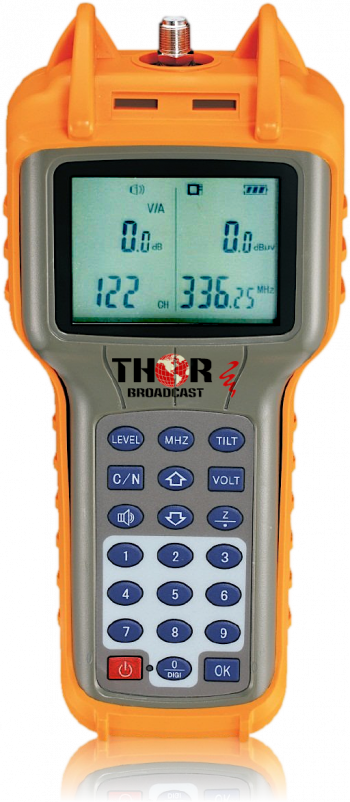
CATV RF QAM ATSC Analog NTSC PAL Signal Level Meter and tester 5Mhz-870Mhz
Cable CATV RF QAM, ATSC, Analog NTSC PAL Tester/Digital Signal Level Meter
$ 295.00
ADD TO BASKET
Rackmount 19
Rackmount 19" Power Supply 16 port 12V 1.5A DC
Universal 16 port 12V 1.5 DC Power Supply, standardized use for an application that many 12V devices need to be powered. Used for Cable TV STB's, HDMI and SDI Modulators. Eliminates the need for individual power supplies, 19" rack mount form factor makes it easy for clean headend installations.
$ 369.00
ADD TO BASKET
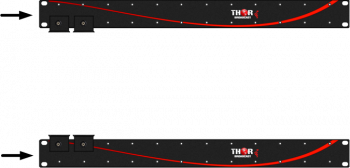
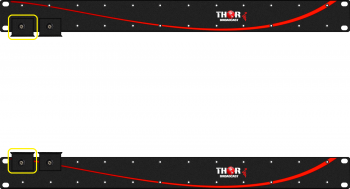
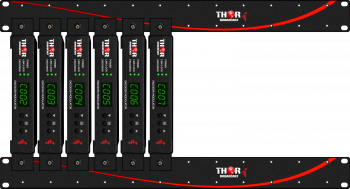
Petit Rack Mount Vertical Bars
Petit rack mount vertical bars can mount 1 - 12 individual Petit modulators.
$ 99.00
ADD TO BASKET
Mounting L Brackets for H-HDMI-RF-PETIT to mount multiple Modulators in 19
Mounting L Brackets for H-HDMI-RF-PETIT to mount multiple Modulators in 19" rack
Individual Petit modulator mounting L brackets. - accessory to mount multiple Modulators in 19" rack
$ 15.00
ADD TO BASKET
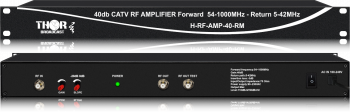
40db CATV RF Amplifier Forward 54-1000MHz   -  Return 5-42MHz
40db CATV RF Amplifier Forward 54-1000MHz - Return 5-42MHz
The Thor 40db CATV Distribution Coax Amplifier supports 54-1000mhz -Analog RF, Cable QAM, ATSC, DVB-T, ISDB-T 19" rack-mountable - Bi directional
$ 369.00
ADD TO BASKET
40db Bi-Directional Distribution Amplifier  54-1000Mhz COAX CATV QAM ATSC Analog RF
40db Bi-Directional Distribution Amplifier 54-1000Mhz COAX CATV QAM ATSC Analog RF
The Thor 40db CATV Distribution Coax Amplifier supports 54-1000mhz - Cable QAM, ATSC, DVB-T, ISDB-T and Analog. Bidirectional - Forward and CATV RF Return Path 5-42Mhz
$ 295.00
ADD TO BASKET
Coax Multiplexers Splitters combiners F-type Input output CATV ATSC or Satellite RF 5-2100Mhz
MODEL: 24 RF Splitter
H-SP-1x24-RM 1x24 or 24 to 1 CATV RF Coax Multiplexers Splitters combiners - 19" Rack-Mountable CATV RF Coax Multiplexers Splitters combiners F-type 5 to 1000 Mhz - 18dB insertion loss
$ 295.00
ADD TO BASKET
Coax Multiplexers Splitters combiners F-type Input output CATV ATSC or Satellite RF 5-2100Mhz
MODEL: 8 RF Splitter
H-SP-1x8 1x8 Eight-way CATV RF Coax Multiplexers Splitters combiners - portable 11.5dB Insertion loss, 5-2100Mhz
$ 49.00
ADD TO BASKET
Coax Multiplexers Splitters combiners F-type Input output CATV ATSC or Satellite RF 5-2100Mhz
MODEL: 4 RF Splitter
H-SP-1x4 1x4 Four-way CATV RF Coax Multiplexers Splitters combiners - portable 8dB Insertion loss, 5 to 2100 Mhz
$ 25.00
ADD TO BASKET
Coax Multiplexers Splitters combiners F-type Input output CATV ATSC or Satellite RF 5-2100Mhz
MODEL: 16 RF Splitter
H-SP-1x16 1x6 Sixteen-way CATV RF Coax Multiplexers Splitters combiners - portable 14.5db insertion loss, 5-1000Mhz
$ 99.00
ADD TO BASKET
HDMI RF Modulator Chassis System 1-12 Units
MODEL: 12 Ch HDMI
Twelve individual Petits with brackets. This mounting rack-mountable chassis system is expandable from 1-12 channels. Each Petit having its own loop out, RF IN/OUT combiner, Network Management System (NMS) port and programmable front LCD panel. Although you can edit through the front panel, you can also use the Graphical User Interface via a web browser and the NMS port to set more precise settings. You can also use the multiple Petits to broadcast in both ATSC and Cable QAM modulation for your various media needs. This setup is perfect for bars, restaurants or anyone whom would like to setup twelve different HDMI media feeds to their location; allowing for much more diversity in content displayed throughout your venue.
$ 5,995.00
ADD TO BASKET
Productos similares:

8 canal HDMI y SDI Claro RF CATV Modulador QAM, ATSC, DVB-T, ISDB-T 8 canal HDMI y SDI Claro RF CATV Modulador QAM, ATSC, DVB-T, ISDB-T

Su elección de la selección de 8 HDMI o SDI fuentes de vídeo. Convierte 8 HDMI/SDI fuentes individuales de CATV RF DVB-C en QAM o Fuera del Aire los canales de ATSC.También admite la Europea DVB-T y América latina ISDB-T modulación de las normas.Soporte de Baja Latencia y completa HDTV de hasta 1080p de Vídeo

RF Digital de Bolsillo Modulador con A/V o HDMI y QAM/ATSC/TDT/ISDBT de Salida RF Digital de Bolsillo Modulador con A/V o HDMI y QAM/ATSC/TDT/ISDBT de Salida

Convertir su local de AV o HDMI la se?al en una se?al de RF. Listo para su distribución a través de cables coaxiales. Plug and Play de tama?o de bolsillo. El modulador soporta todos los cable y terrestre de las normas. Distribuir su canal personalizado para cualquier # de TV en su la red de CATV!

Popular

Coax to HDMI
Digital TV Modulator
RF Modulator


Contáctenos

Thor Broadcast Ventas

[email protected]
1(800)521-THOR (8467) Ext 1
1(800)521-6384

Servicio al Cliente / Soporte

1(800)521-THOR (8467) Ext 2
[email protected]


  • CATV Moduladores:
    • HDMI los Moduladores de RF
    • HD-SDI convertidores
    • IP para CATV Moduladores Borde
  • DVB Codificadores:
    • Los Codificadores De Vídeo
    • Hdmi RTSP RTMP, RTSP Codificadores
    • Transcodificadores, MPEG Convertidores, IP ASI puertas de enlace
  • Decodificadores (IRD y STB):
    • RF Decodificadores del IRD
    • Difusión IP Decodificadores
    • RF CATV de IPTV y OTT STB del
  • Satélite Moduladores:
    • DVB-S/S2 Satélite Moduladores
  • De Fibra Óptica De Transporte:
    • SDI a lo largo de la Fibra
    • SDI SD/HD/3G con CWDM
    • TV por Cable CATV RF 45-900Mhz
    • L del Satélite en la Banda de RF 45-3000Mhz
    • Datos y Ethernet en fibra
    • Analógica De Audio Y Vídeo
    • La fibra de Amplificadores EDFA
    • DVB - ASI
    • Fibra De Puentes, Cables, Atenuadores,
    • Óptica Acopladores Divisores CWDM Une
    • Óptica Metros, La Prueba De Equipos, Accesorios
    • Analógica en Banda base de Audio y Vídeo, RS485/422/232 Datos, Cierre de Contacto
  • Wireless HD SD de Vídeo de Transporte de Datos:
    • Wireless HD de Vídeo SD con los Datos de los Equipos
  • HD Cámaras 4K, SDI - HDMI - IP Streaming - PTZ - Linea y Seciurity:
  • Descuento De Inventario:
    • Nuevos Equipos De Transmisión En Venta
    • Laboratorio de Equipos de transmisión Utilizados en venta
    • Última Generación De Equipos De


Thor Broadcast Logo
Email: [email protected]
Phone: 1(800) 521-8467 Ext 1
FAX: 1(800)521-6384
Information:
  • About us
  • Client Portfolio
  • Become a Reseller
  • Contact
  • Articles
  • Return Policy
  • Shipping Policy
  • International Order Policy
Popular:
  • RF Modulator
  • HDMI over COAX
  • HDMI over IP
  • COAX to HDMI
  • HDMI to SDI

Thor Broadcast
Torrance Business Park
2421 W 205th St
Torrance
CA 90501

© 2026 Thor Broadcast
Suscríbete a nuestro boletín

Regístrese aquí para recibir las últimas noticias, actualizaciones y ofertas especiales directamente en su bandeja de entrada.

Puedes darte de baja en cualquier momento
newsletter image