| Availability: | In stock | Condition: | new |
|
| Shipping: | starting at $0.00 | Warranty: | 2Yrs |
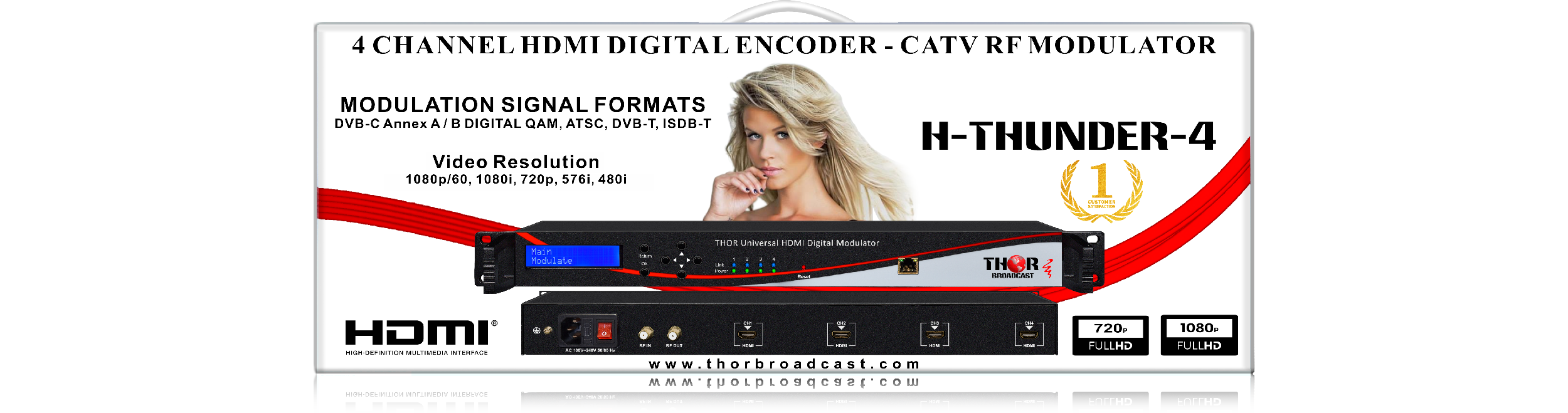
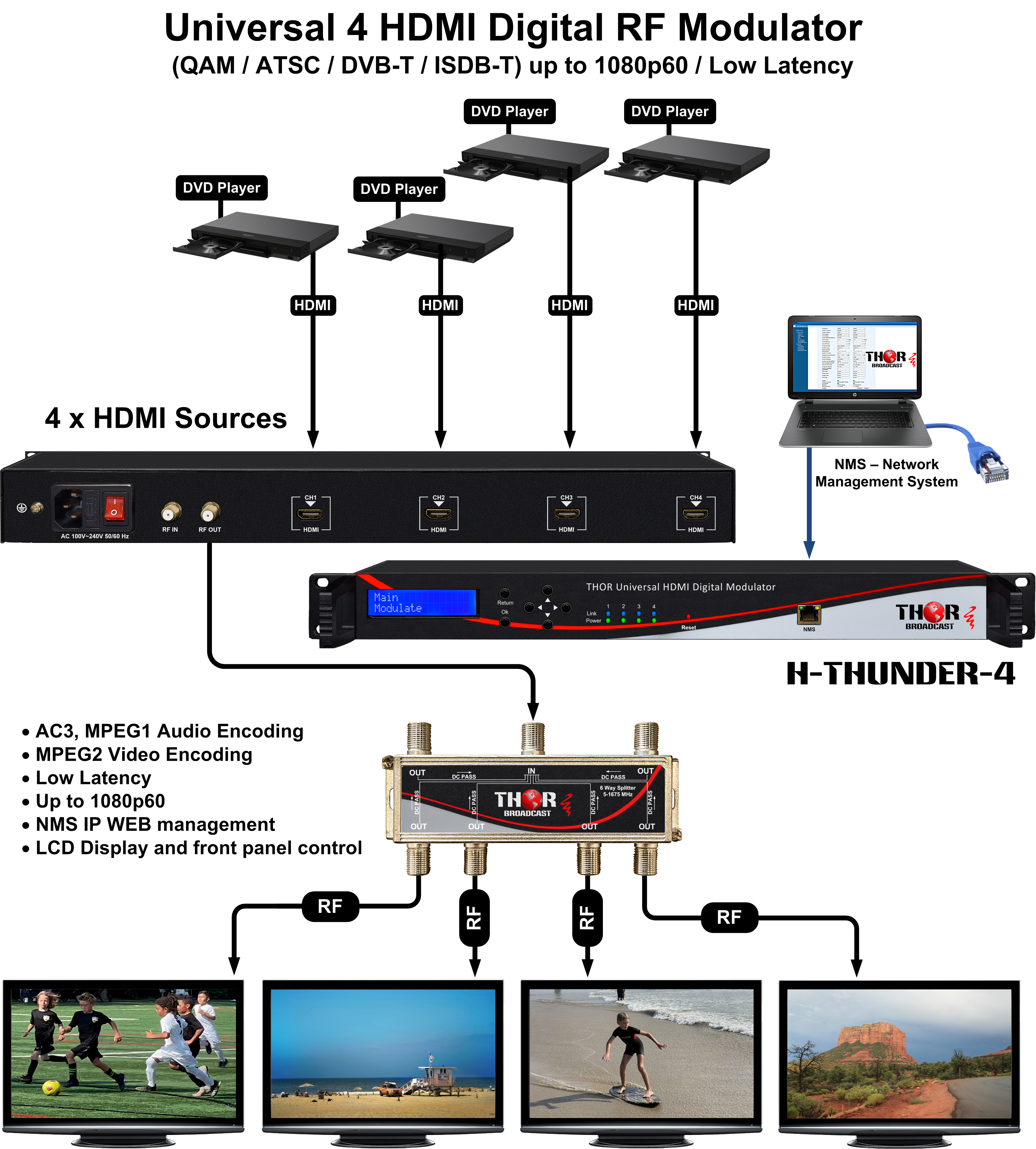
The 4-channel Thor Thunder-4 HDMI RF Modulator is a powerful device designed to encode and modulate HDMI sources into CATV RF channels. It supports Full HD resolutions up to 1080p/60 and enables seamless distribution of content over coaxial cables to multiple TVs equipped with QAM or ATSC tuners. This makes it an excellent choice for cost-effective video distribution in environments like hotels, schools, and residential setups.
Once connected to a coaxial network, the modulator allows TVs to scan and locate the channels easily. Users can then switch between channels using a standard TV remote, simplifying content delivery and management. The unit encodes video in MPEG-2 format and audio in either AC3 or MPEG1, ensuring compatibility with a wide range of devices.
The Thunder-8 is designed for user-friendly operation, offering two convenient control options:
Notably, the modulator is HDCP-compliant, meaning it works seamlessly with any HDMI source, including encrypted content.
For larger installations, multiple Thunder units (or a combination of Thunder-4 and Thunder-8 models) can be connected together to create up to 135 CATV RF channels. The 8-channel model is available under the part number Thunder-8, making it a versatile and scalable solution for high-density video distribution.
Additionally, this unit can generate any worldwide CATV RF modulation standard, including ATSC, DVB-C Annex A, DVB-C Annex B, DVB-T, and ISDB-T, ensuring global compatibility and flexibility for any application.
H- THUNDER-4 Supports 4 HDMI inputs and its modular design (maximum 4 HDMI inputs) and flexible configuration makes it scalable and very reliable while providing high performance.
The signal source could be from any STB, satellite receiver, closed-circuit television cameras, and antenna, etc. Its output signal is designed to work with any TV or STB. Because it comes standard with every RF modulation standard builtin, this device can work anywhere in the world in a plug and play format.
This unit is similar to our popular line H-1,2,4 HDMI-QAM-IPLL product line, but it has some differences. It is a less expensive unit, each program is modulated on its own frequency, CATV RF output only, no IPTV output
| Feature | Thor Thunder-8 | H-HDMI-QAM-IPLL Series |
|---|---|---|
| Number of Inputs | 8 | 1, 2, 4, 8 |
| Number of CATV Frequencies | 8 (each source modulated on its own channel) | 4 (supports multiple programs on one channel, e.g., 2.1, 2.2) |
| Modulation Standards | QAM, ATSC, DVB-T, ISDB-T (pre-loaded) | QAM, ATSC, DVB-T, ISDB-T (firmware dependent) |
| Encoding Method | MPEG-2 | MPEG-2 or H.264 (selectable) |
| Dolby Audio Support | Yes | Yes |
| NMS (Network Management System) | Yes | Yes |
| Front Panel Control | Yes | Yes |
| IPTV Output | No | Yes |
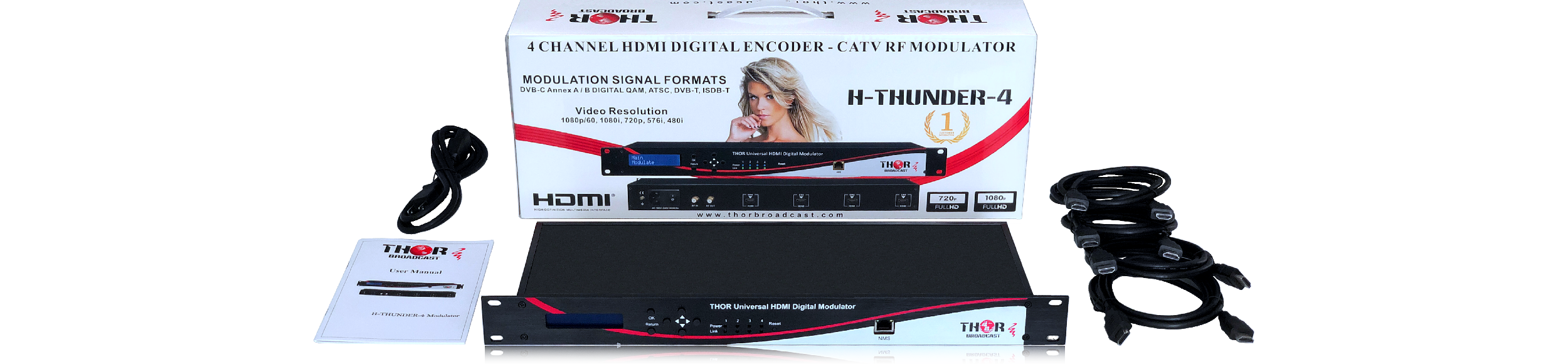
Unboxing New 4 Channel modulator H-THUNDER-4
|
HDMI Encoding Section |
||||||||
|
Input |
Interface |
|
||||||
|
Video |
Encoding |
MPEG2 |
||||||
|
Input |
Output |
|||||||
|
480@30p |
||||||||
|
576@50i |
576@25p |
|||||||
|
720@50/59.94/60p |
720@25/30p |
|||||||
|
1080@50i |
1080@25p |
|||||||
|
1080@30p |
||||||||
|
1080@50p |
1080@25p |
|||||||
|
1080@30p |
||||||||
|
Bit-rate |
2.000~20.000 Mbps |
|||||||
|
Rate Control |
VBR |
|||||||
|
Aspect Ratio |
16 :9 |
|||||||
|
Audio |
Encoding |
MPEGI layer2, AAC, AC3 |
||||||
|
Sample rate |
48KHz |
|||||||
|
|
Bit rate |
MPEG1 layer2 (192kbps) |
||||||
|
|
AAC (VBR) |
|||||||
|
|
AC3 (128kbps) |
|||||||
|
DVB-C Modulator Section |
||||||||
|
Standard |
J.83A (DVB-C), J.83B |
|||||||
|
MER |
≥35dB |
|||||||
|
RF frequency |
100-1000MHz, 1KHz step |
|||||||
|
RF output level |
-63~ -16dBm (44~91 dBµV), 1dB step |
|||||||
|
Symbol rate |
3.000~7.000Msps adjustable |
|||||||
|
|
J.83A |
J.83B |
||||||
|
Constellation |
16/32/64/128/256QAM |
64/ 256QAM |
||||||
|
Bandwidth |
8M |
6M |
||||||
|
DVB-T Modulator Section |
||||||||
|
Standard |
DVB-T COFDM |
|||||||
|
Bandwidth |
2M, 3M, 4M, 5M, 6M, 7M, 8M |
|||||||
|
Constellation |
QPSK, 16QAM, 64QAM |
|||||||
|
Code rate |
1/2, 2/3, 3/4, 5/6, 7/8 |
|||||||
|
Guard Interval |
1/32, 1/16, 1/8, 1/4 |
|||||||
|
Transmission Mode: |
2K, 8K |
|||||||
|
MER |
≥35dB |
|||||||
|
RF frequency |
100-1000MHz, 1KHz step |
|||||||
|
RF output level |
-63~ -16dBm(44~91 dBµV), 1dB step |
|||||||
|
ISDB Modulator Section |
||||||||
|
Standard |
ARIB STD-B31 |
|||||||
|
Constellation |
QPSK, 16QAM, 64QAM |
|||||||
|
Guard Interval |
1/32, 1/16, 1/8, 1/4 |
|||||||
|
Transmission Mode |
2K, 4K, 8K |
|||||||
|
Code rate |
1/2, 2/3, 3/4, 5/6, 7/8 |
|||||||
|
RF frequency |
100~1000MHz, 1KHz step |
|||||||
|
RF output level |
-63~ -16dBm(44~91 dBµV), 1dB step |
|||||||
|
ATSC Modulator Section |
||||||||
|
Standard |
ATSC A/53 |
|||||||
|
Constellation |
8VSB |
|||||||
|
RF output level |
-63~-16dBm (44~91dBµV),1dB step |
|||||||
|
MER |
≥35dB |
|||||||
|
RF frequency |
100~1000MHz, 1KHz step |
|||||||
|
RF output level |
-63~ -16dBm(44~91 dBµV), 1dB step |
|||||||
|
System |
||||||||
|
Management |
Web |
|||||||
|
Language |
English |
|||||||
|
Upgrade |
Web update |
|||||||
|
General |
||||||||
|
Power supply |
AC 100V±10%, 50/60Hz or AC 220V±10%, 50/60Hz |
|||||||
|
Dimensions |
482x328x44.5mm = (19"x12.9"x1.7" ) |
|||||||
|
Temperature |
0~45°C(operation),-20~80°C(storage) |
|||||||
Thank you for sending over all of these detailed notes and the link to the photos. This is very helpful. The coax already installed is good to go; we just need a total count of HDMI inputs for the modualtors needed. I have links further down for everything. The modulators are very straightforward; we have a wide selection of premium and highdensity options. I can imagine that when those STB's from the dish and cable companies are replaced, you will receive Digital Boxes with HDMI output, everything we have is HDCP compliant and will be easier to set up.
I think for this kind of scope the Thunder-4 or Thunder-8 would be a great choice. Thunder - 4 https://thorbroadcast.com/product/hdmi-modulator-qam-rf-coax-output-full-hd-8230.html/238 Thunder- 8 https://thorbroadcast.com/product/hdmi-modulator-qam-rf-coax-output-full-hd-8230.html/239 We also have a premium modulator/encoder called the 4ADHD which can output QAM and IP at the same time. https://thorbroadcast.com/product/4-hdmi-component-hd-to-coax-and-iptv-hd-8230.html/21 We also have a brand new unit, the Thunder-2 which also includes QAM and IPTV. https://thorbroadcast.com/product/hdmi-modulator-qam-rf-coax-output-full-hd-8230.html/328 Besdies the actual coax, we can help with other accessories as well: RF AMP's in 40db, compact and rackmount https://thorbroadcast.com/product/40db-bi-directional-distribution-amplifier-54-1000mhz-coax-catv-qam-atsc-analog-8230.html https://thorbroadcast.com/product/40db-catv-rf-amplifier-forward-54-1000mhz-return-5-42mhz.html We have simple QAM/ATSC demodulators. These can be used for your Free to Air tuning: https://thorbroadcast.com/product/qam-catv-rf-and-atsc-rf-to-hdmi-decoder-stb-8230.html We have a full line of RF splitters, combiners: https://thorbroadcast.com/product/coax-multiplexers-splitters-combiners-f-type-input-output-catv-atsc-or-8230.html (the blue buttons above the pics will change products, also the "select a model" above the add to basket. So if you want to go with the High Density modulators like the Thunder-8 and forgo the IP 2 +1 solution; we have excellent gateways as well for converting the entire QAM headend to IP. https://thorbroadcast.com/product/16-rf-tuners-to-iptv-1.html/117 Let me know what you think, but if the entire headend is 32 channels, you can go with 4pcs of the Thunder-8, or 8pcs of the Thunder-4. Building a headend doesn't have a right answer, it's preference in some cases. A lot of our tropical clients in the Caribean and Mexico etc choose individual Modulators, so if one gets knocked out by weather it won't effect all the channels. After the modulation set up, balancing the RF power levels using an RF meter is as simple as checking the longest runs at the end of a hallway and floor and ensuring the TV's have enough power using AMPs and Taps.Without Amplifier:
H-THUNDER-8 output power: +38 dBmV -> H-SP-1x24-RM (loss: 18 dB) -> Output: +20 dBmV
-> Connected to H-SP-1x16 (loss: 15 dB) -> Output: +5 dBmV
-> Connected to another H-SP-1x16 (loss: 15 dB) -> Output: -10 dBmV
-> Additional coax loss -> Final level too low at TV
With Amplifier:
H-THUNDER-8 output power: +38 dBmV -> H-SP-1x24-RM (loss: 18 dB) -> Output: +20 dBmV
-> Amplifier applied -> Boost to +40 to +50 dBmV
-> Connected to H-SP-1x16 (loss: 15 dB) -> Output: +25 to +35 dBmV
-> Connected to another H-SP-1x16 (loss: 15 dB) -> Output: +10 to +20 dBmV
-> After coax loss -> Final level within acceptable range for TVs
Regarding your question about cabling, we recommend using [RG11] for this installation to minimize loss over long distances.
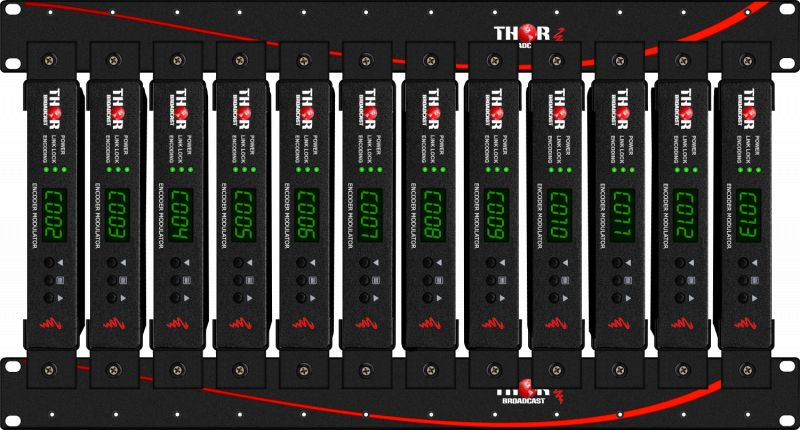
Thunder 4 + Thunder 8 https://thorbroadcast.com/product/hdmi-modulator-qam-rf-coax-output-full-hd-8230.html/238

8 HDMI inputs + Closed Captions via CVBS

We also ANALOG modulators 16 HDMI inputs, picture is very good but it is still NTSC PAL https://thorbroadcast.com/product/16-hdmi-to-analog-agile-catv-rf-modulator-ntsc-8230-3.html
So if you do not have coax at that one TV, do you have any other cabling that goes there? Maybe Ethernet cable RJ45? Then you can use this https://thorbroadcast.com/product/4k-hdmi-over-ip-ethernet-cat6-rj45-extender-300-feet-8230.html If you have singlemode fiber, you can use this https://thorbroadcast.com/product/hdmi-fiber-extender-with-ir.html You could ultimately use something like this https://thorbroadcast.com/product/low-compression-wireless-hdmi.html But the range is very short. If there are other TVs nearby, there will be a delay in the signal as well. Wireless solutions are only good for direct line of sight as well.
Thanks for reaching out. Do you have TVs with built-in IP decoders? If not, how do you plan on decoding the IP streams? How many HDMI sources do you have? How many channels would you like to make? Where are the sources coming from? Do you have CATV service that is being delivered via cable or STB to your hotel? Also, do you need MPEG2 or H264? We have some encoders here that will work https://thorbroadcast.com/product/4-8-16-24-hdmi-iptv-streaming-8230.html/216 https://thorbroadcast.com/product/4-hdmi-component-hd-to-coax-and-iptv-hd-8230.html/21 https://thorbroadcast.com/product/4-or-8-hdmi-inputs-h264-network-encoder-udp-unicast-multicast-rtsp-8230-2.html/33 We also have decoders here https://thorbroadcast.com/products/rf-catv-and-iptv-ott-stb-s
----
Generally speaking, no television sold over the counter would have this feature. Did you go through an integrator or purchase through a vendor that supplies its own hotel software like Sonifi Solutions? What country are you in? Will you need MPEG2 or H264? We can do the HDMI to IP, and certainly the IP to QAM; do you have the available LAN in your hotel? At what point would you want to do the IP to QAM conversion? Every floor? Or are there multiple sections of the hotel? The more information you can give us, the better.
An HDMI encoder modulator is a device that converts an HDMI signal into a digital format that can be transmitted over a Coax cable network or broadcast over the air. This allows users to distribute high-quality video and audio signals to multiple devices or locations using a single HDMI source. HDMI encoder modulators are commonly used in commercial and residential settings to distribute content from cable or satellite boxes, video game consoles, or other HDMI-enabled devices to TVs or other display devices.
An 8ch HDMI modulator ATSC QAM is a device that allows for the conversion of HDMI signals into a format that can be transmitted over a cable television network. This is useful for a variety of applications, such as distributing content from a set-top box, streaming device, or another HDMI source to multiple TVs or displays without the need for additional HDMI cables.
The modulator is designed to support eight HDMI channels, which means it can handle eight separate HDMI sources at the same time. This allows users to easily distribute content from multiple devices to multiple TVs, making it a great solution for multi-room installations or larger installations such as hotels, hospitals, and schools.
The modulator uses the ATSC and QAM standards to encode and transmit the HDMI signals over a cable network. ATSC is a digital television broadcasting standard used in North America, while QAM is a digital signal modulation method used in cable television systems. Both of these standards provide high-quality, reliable transmission of digital signals, ensuring that the content is delivered to the TVs or displays with minimal degradation or interference.
In addition to supporting multiple HDMI channels and using ATSC and QAM for transmission, the 8ch HDMI modulator also offers a range of other useful features. For example, it may include built-in signal processing and equalization to ensure the best possible signal quality, as well as support for various output frequencies to ensure compatibility with different cable networks.
Overall, an 8ch HDMI modulator ATSC QAM is a versatile and useful device that allows users to easily distribute HDMI content over a cable network. It is well-suited for a variety of applications, from multi-room installations to larger commercial installations, and offers a range of features to ensure high-quality, reliable transmission of digital signals.
n addition to its ability to distribute HDMI content over a cable network, an 8ch HDMI modulator ATSC QAM can also provide a number of other benefits. For example, it allows users to easily share content from a single HDMI source with multiple TVs or displays, without the need for additional cables or connections. This can save time and hassle when setting up a home theater system or other multi-room audio-visual installation.
Another benefit of using an 8ch HDMI modulator ATSC QAM is its ability to support multiple HDMI channels. This means that users can connect multiple HDMI sources to the modulator and distribute the content to multiple TVs or displays. This is particularly useful in situations where multiple users want to watch different content on different TVs, such as in a hotel or a school.
In addition to its practical benefits, an 8ch HDMI modulator ATSC QAM can also provide a more aesthetic and organized solution for home theater installations. By eliminating the need for multiple HDMI cables running from a single source to multiple TVs, the modulator can help reduce clutter and improve the overall look of the installation.
In conclusion, an 8ch HDMI modulator ATSC QAM is a valuable and versatile device that can provide a range of benefits for users who want to distribute HDMI content over a cable network. Whether used in a home theater system, a multi-room installation, or a larger commercial installation, the modulator can help ensure high-quality, reliable transmission of digital signals, and provide a more organized and aesthetically pleasing solution. It Can
can also be useful in commercial settings. For example, it can be used to distribute content from a set-top box, streaming device, or other HDMI source to multiple TVs or displays in a hotel, hospital, or school.
In a hotel setting, the modulator can be used to distribute content from a single HDMI source, such as a cable box or streaming device, to multiple TVs in guest rooms. This allows guests to easily access a variety of content without the need for additional cables or connections.
In a hospital, the modulator can be used to distribute content from a single HDMI source, such as a satellite receiver or streaming device, to multiple TVs in patient rooms, waiting for areas, or other public spaces. This can provide patients and visitors with access to a range of entertainment and information options.
In a school, the modulator can be used to distribute content from a single HDMI source, such as a computer or streaming device, to multiple TVs in classrooms, libraries, or other common areas. This can allow teachers and students to easily access educational content, presentations, and other materials.
Overall, an 8ch HDMI modulator ATSC QAM can be a useful tool in commercial settings, providing a convenient and reliable way to distribute HDMI content to multiple TVs or displays without the need for additional cables or connections.
ATSC (Advanced Television Systems Committee) and QAM (quadrature amplitude modulation) are both digital modulation techniques used to transmit television signals.
ATSC is a digital television standard used in North America, South Korea, and other countries. It uses 8VSB (vestigial sideband) modulation to transmit digital television signals over the air or through cable. ATSC is a high-definition (HD) television standard and is capable of transmitting video, audio, and other data using a single 6 MHz channel.
QAM is a digital television standard used in cable television systems. It uses quadrature amplitude modulation to transmit digital television signals over coaxial cables. QAM is capable of transmitting multiple channels of video, audio, and other data over a single coaxial cable.
To convert HDMI (High-Definition Multimedia Interface) to coax using an encoder modulator, you will need an HDMI-to-coax encoder modulator. This device converts an HDMI signal into a coaxial cable signal that can be transmitted over a coaxial cable.
To use an HDMI-to-coax encoder modulator, you will need to connect the HDMI source (such as a DVD player or cable box) to the encoder modulator using an HDMI cable. The encoder modulator will then convert the HDMI signal into a coaxial cable signal that can be transmitted over a coaxial cable.
There are several types of HDMI-to-coax encoder modulators available, including both analog and digital modulators. The choice of modulator will depend on the specific requirements of the application, including the distance that the signal needs to be transmitted and the data rate of the signal.
It is also important to note that HDMI and coaxial cable signals are not interchangeable, and a device is required to convert between the two formats. An HDMI-to-coax encoder modulator is used to convert HDMI signals into coaxial cable signals, while a coaxial-to-HDMI decoder is used to convert coaxial cable signals back into HDMI signals.
There are many factors to consider when choosing the best HDMI encoder modulator for your application. Some of the key factors to consider include: Compatibility: Make sure the HDMI encoder modulator is compatible with the HDMI source and the destination device. Thor encoder modulators prefer 1280 x 720p 59.94/60 or 1920 x 1080i/p 59.94/60 resolution and frame rate. Data rate: Consider the data rate of your network or setup to make sure you get the maximum potential out of your equipment. Distance: Consider the distance that the HDMI signal needs to be transmitted, and choose the method of output that is most suited for your run. Some of Thor's devices have multiple output capabilities. Quality: Look for an HDMI encoder modulator that delivers high-quality video and audio. Features: Consider any additional features that you may need, such as the ability to transmit multiple HDMI signals on the same 6mHz band, high capacity devices (24 channel Performux Encoder), support for HDCP (High-bandwidth Digital Content Protection), and support for audio formats such as Dolby Digital (AC3).
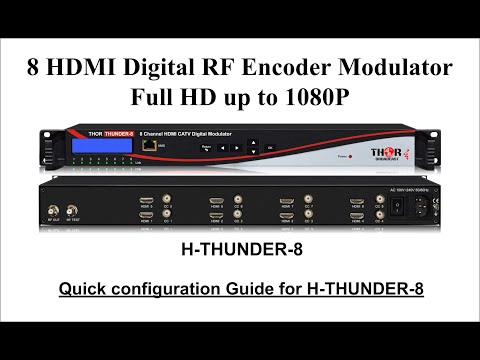
Our best and cost effective 4 or 8 channels HDMI modulators are H-Thunbder-4 and H-Thunder-8.
We also have 8ch HDMI or 8 HD SD SDI-selectable modulators available H-Hybryde-RF-8
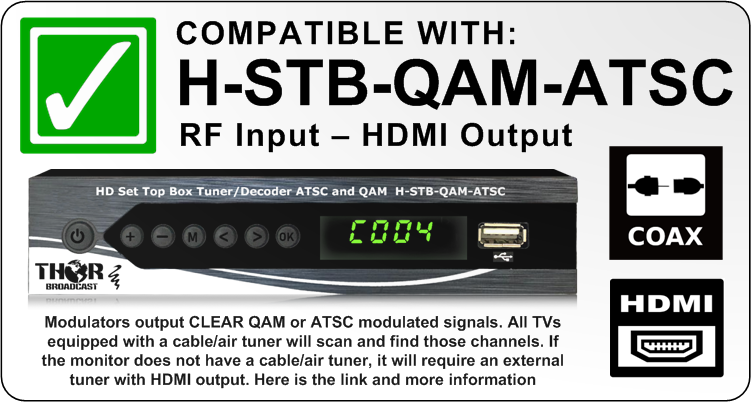
The modulator needs time to process the incoming signal and encode it, but we do have a solution for it. Please use an external QAM tuner with HDMI and analog audio output. Then use this audio as the source for your sound system. This way, the video and audio will be in sync This is the link: H-STB-QAM-ATSC
https://thorbroadcast.com/product/qam-catv-rf-and-atsc-rf-to-hdmi-decoder-stb-8230.html
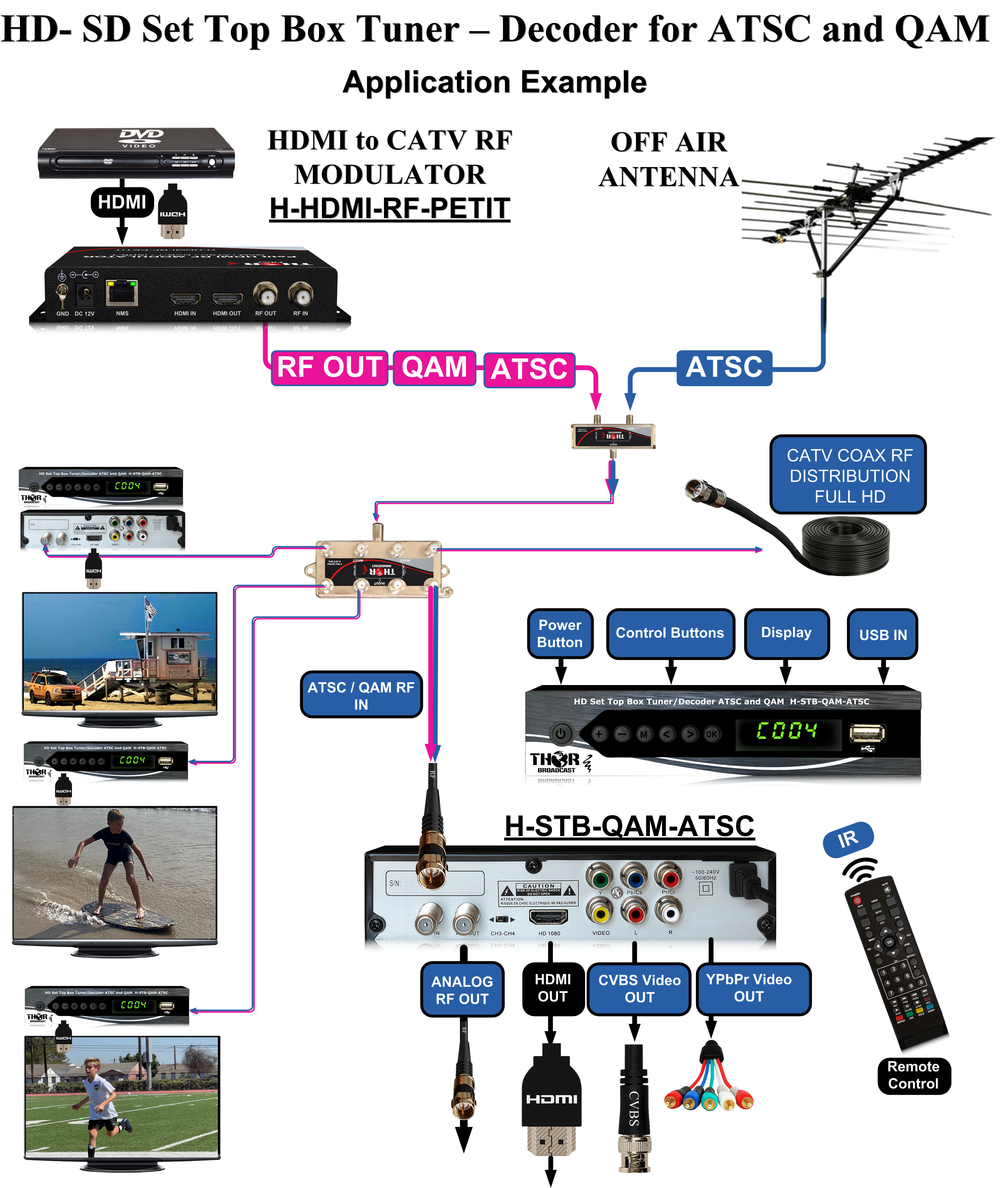
Examples:
40dB RF amplifier
https://thorbroadcast.com/product/40db-bi-directional-distribution-amplifier-54-1000mhz-coax-catv-qam-atsc-analog-8230.html HDMI RF commercial modulator: https://thorbroadcast.com/product/1-4-hdmi-to-qam-modulators-and-iptv-streaming-encoders-8230.html/12 or https://thorbroadcast.com/product/1-4-or-8-hdmi-digital-rf-encoder-modulator-8230.html/238 2)As far as HDMI over LAN is concerned, it's easy to achieve using UDP multicast, and we have a very good, almost plug-and-play solution for it.
For example, you could use the
TX side) H-Spartan-2 HDMI to IP encoder: https://thorbroadcast.com/product/2-channel-3g-sdi-hdmi-h-264-ip-video-streaming-encoder.html
RX side) You could use an IPTV STB for IP to HDMI conversion: https://thorbroadcast.com/product/compact-ip-decoder-set-top-box.html
3)
If you want to send HDMI over WAN, you can use the same solution and stream the video as HLS. However, this requires good network and streaming knowledge, and it's not plug-and-play. Specific setup is required, including access to and setup of the router.
If you move the encoder or decoder to different places, the devices must be reconfigured.
Please let me know if this is clear.
The modulator we were working on was set to the ATSC modulation standard, so I switched it to QAM.
It looks like the particular TV didn't support the CVCT virtual channel number standard; it was reading physical channel numbers and TS ID.
This is why we needed to adjust it. You will not have that issue often because the majority of TVs will support CVCT.
If you are using multiple devices and combining them together, all modulators must be set to QAM, and QAM channels cannot be repeated on any of the modulators.
Also, they need to be merged with similar +/- 5dB RF power.
I would suggest getting a good CATV RF meter/analyzer; it would simplify the installation process.
You would be able to see the carriers and determine if the levels are correct.
The easiest way to test the system is to take measurements directly after the combiner and do the scan there.
If you can see all the channels, the rest is proper RF distribution.
Please note that most TVs are able to display channels at +25dBmv to 0 dBmV.
The RF amplifiers used in the system cannot receive an RF signal greater than +12dBmV.
You can always count on our technical support. We will always help to determine any issues.
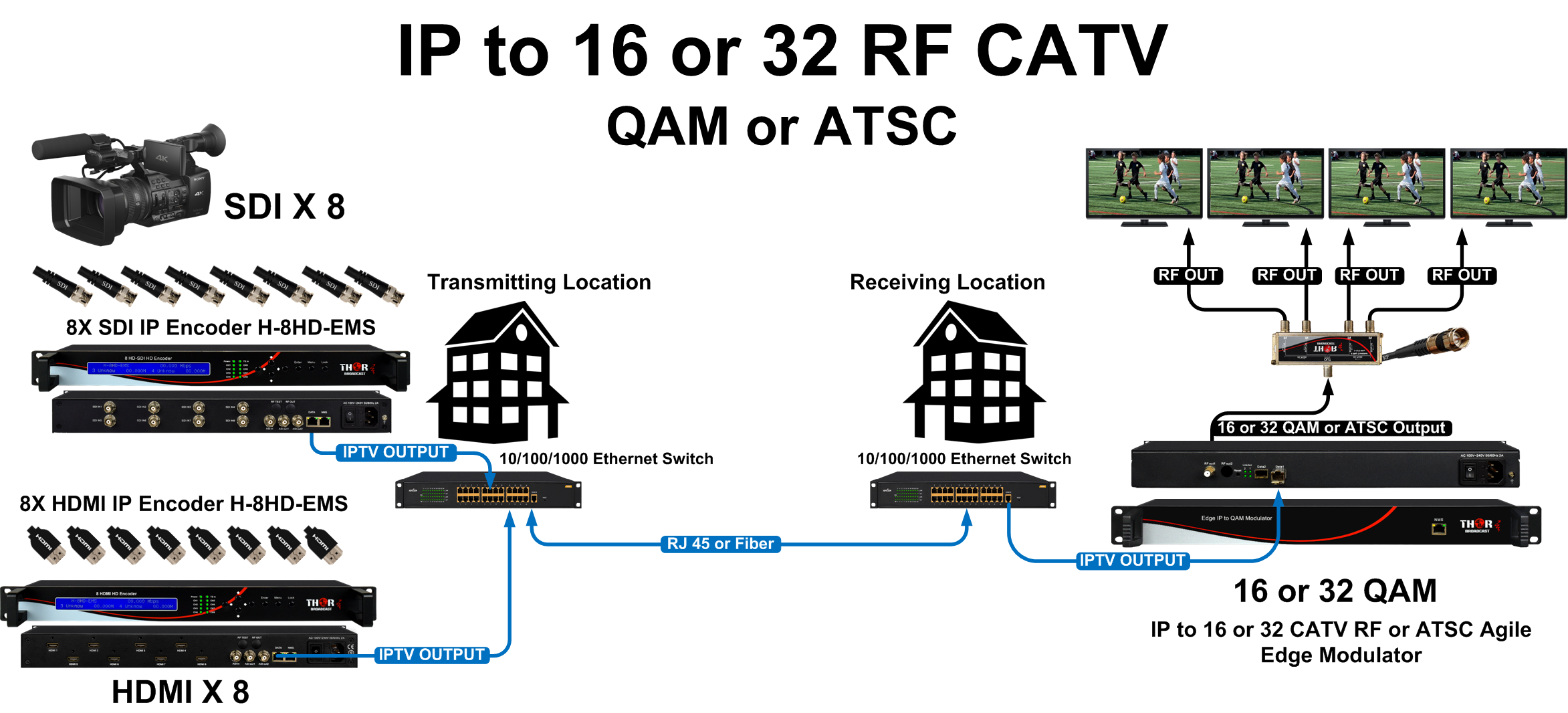
Are there cameras located on the LAN network or WAN network (public internet)? Do they have the ability to output UDP multicast streams? If your camera operates on the LAN (internal network) and is able to output UDP multicast, then we have a perfect solution. The H-IPRF-16ATSC is an IP (UDP multicast) to 16 ATSC channels and IP-UDP output gateway. Please note that this is a gateway, so H.264 streams will not be changed to MPEG2. The modulator will carry H.264, so not all TVs may support that. Link: https://thorbroadcast.com/product/iptv-to-16-32-clear-channel-rf-qam-atsc-modulator.html/124 If your cameras are located on the WAN and stream with a different protocol than UDP multicast, then the only way would be to:
1) - Decode each stream to HDMI H-IP-HDMI , link ; https://thorbroadcast.com/product/4k-hevc-ip-and-usb-hd-video-decoder-ip-8230-1.htmlOr IP STB;s H-STB-IP Link: https://thorbroadcast.com/product/compact-ip-decoder-set-top-box.html
2) - Use ATSC modulators For the ATSC modulators, you can use either the H-THUNDER-8 (8 HDMI to ATSC with no IP out) or H-4ADHD-ATSC-IPLL (4ch HDMI to ATSC and IP out). We could do it as a two-stage process.
H-THUNDER-8 , orH-4ADHD-ATSC-IPLL: https://thorbroadcast.com/product/4-hdmi-component-hd-to-coax-and-iptv-hd-8230.html/22
The main question is, does the CVBS output from the STB carry CC on line 21?
It is relatively easy to confirm.
You can take the RCA yellow CVBS signal from the STB and connect it directly to the TV.
If you can use the remote control to turn CC on/off and see the closed captions displayed, then the CVBS carries CC on line 21. If not, then it doesn't carry CC.
We need this CC data from line 21 to encode it into the RF channel. It is essential to have a CC source in order to pass it to the RF output.
Having a CC source is a prerequisite for us to proceed with encoding it into the RF channel.
It doesn't matter whether the CC is in French or English; what's important to us is whether CC is present or not.
Could you please perform this test and let me know the results? It should confirm whether the CVBS output carries CC on line 21.
This is how it works: The Closed Captioning (CC) data is sent on the analog CVBS (Composite Video Blanking and Sync) signal on line 21.Line 21 of the analog video signal is specifically designated for carrying the CC information.
In the NTSC video standard, which is commonly used in the US and Canada, line 21 of the analog video signal is reserved for additional data transmission, including Closed Captioning.
The CC data is embedded within the vertical blanking interval (VBI) of the video signal, which is the non-visible part of the video signal between the frames.
The CC data is encoded using specific protocols and standards, such as the EIA-608 standard for analog closed captions.
This encoded data is then transmitted on line 21 of the analog CVBS signal.
Your application is very straightforward, and we can provide all the necessary equipment from beginning to end.
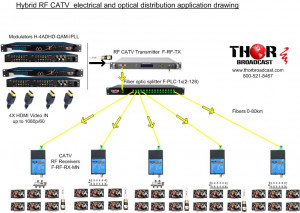
Equipment needed in OBTCR H-HYBRIDE-RF-8 8 SDI to 8 CATV RF QAM Channels Modulator https://thorbroadcast.com/product/8-channel-sdi-and-hdmi-clear-catv-rf-modulator-qam-8230.html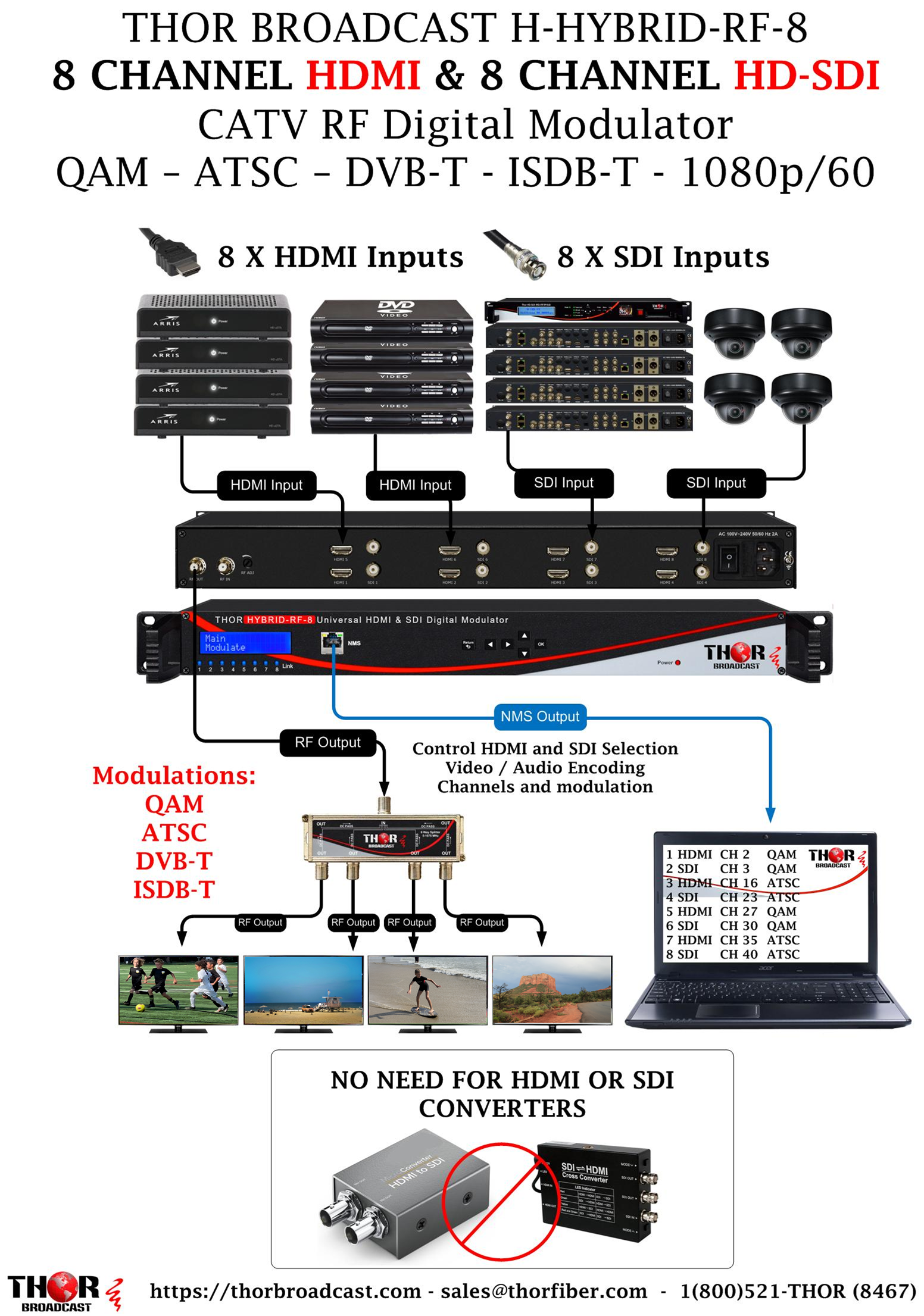 F-RF-TX-16 CATV RF fiber optic transmitter
https://thorbroadcast.com/product/16-mw-catv-rf-over-fiber-tx-45-870-mhz.html
F-RF-TX-16 CATV RF fiber optic transmitter
https://thorbroadcast.com/product/16-mw-catv-rf-over-fiber-tx-45-870-mhz.html
 F-PLC-1x8 1x8 fiber optic splitter
https://thorbroadcast.com/product/1-x-2-to-1-x-128-fiber-optic-couplers.html/226
F-PLC-1x8 1x8 fiber optic splitter
https://thorbroadcast.com/product/1-x-2-to-1-x-128-fiber-optic-couplers.html/226 Remote locations will have optical receivers
F-RF-RX-MN2
https://thorbroadcast.com/product/thor-fiber-optical-mini-ftth-rf-catv-cable-tv-receiver-8230.html
Remote locations will have optical receivers
F-RF-RX-MN2
https://thorbroadcast.com/product/thor-fiber-optical-mini-ftth-rf-catv-cable-tv-receiver-8230.html
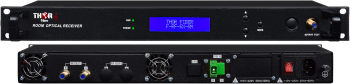
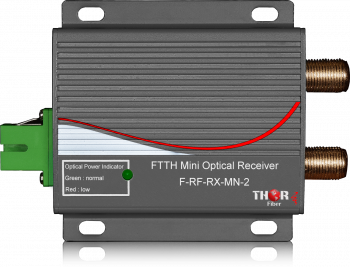 or rack-mountable receiver - Fiber to RF -
F-RF-RX-RM
https://thorbroadcast.com/product/catv-rf-fiber-receiver-high-rf-power-rack-8230.html
or rack-mountable receiver - Fiber to RF -
F-RF-RX-RM
https://thorbroadcast.com/product/catv-rf-fiber-receiver-high-rf-power-rack-8230.html
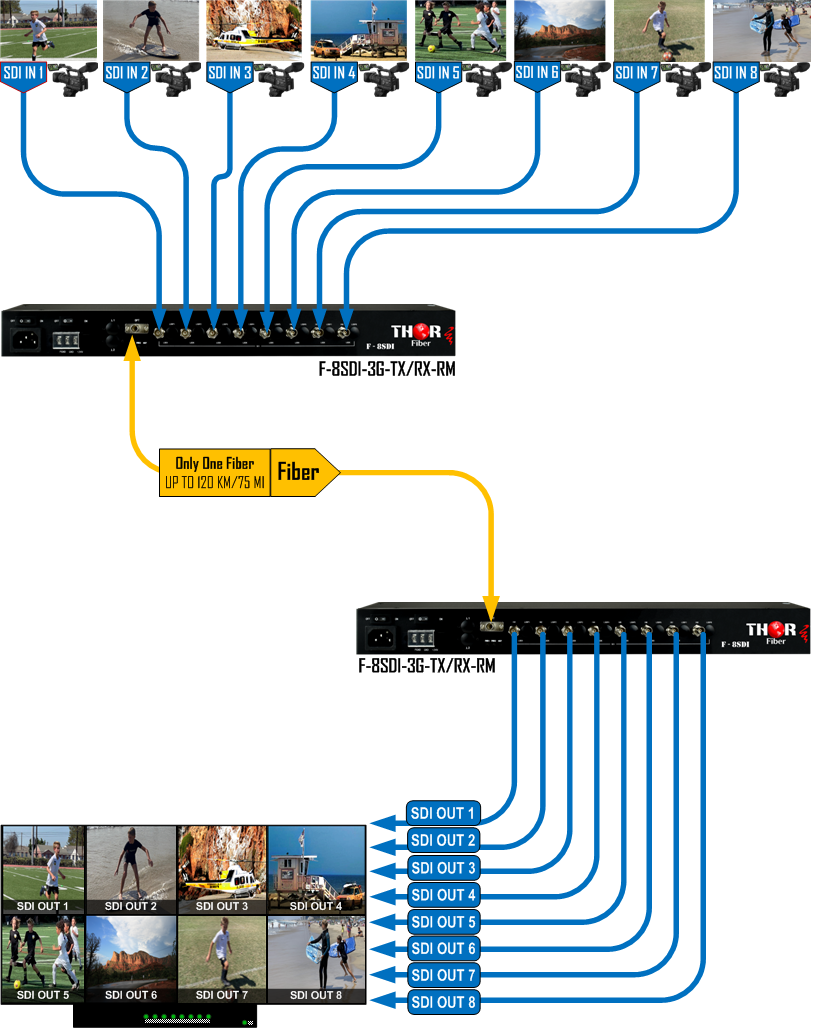
 Additionally, we can make it easy to transport 8 SD/HD/3G-SDI from the broadcast compound to OBTCR using only one fiber optic cable.
F-8SDI-3G-TX/RX-RM
https://thorbroadcast.com/product/8-ch-sd-hd-3g-sdi-over-single-fiber-cwdm-uncompressed-rack-mountable.html
Additionally, we can make it easy to transport 8 SD/HD/3G-SDI from the broadcast compound to OBTCR using only one fiber optic cable.
F-8SDI-3G-TX/RX-RM
https://thorbroadcast.com/product/8-ch-sd-hd-3g-sdi-over-single-fiber-cwdm-uncompressed-rack-mountable.html
 Please review and let me know if this is clear and if you have any questions.
 The HDMI video and audio signal doesn't carry closed captioning data. You would need to turn on CC on the HDMI source, and then the CC will be part of the video.
However, you will not be able to control it at the TV level because the CC will always be present as part of the visible video.
Another option would be to use a digital modulator.
We have digital HDMI modulators like H-Thunder-8, which has a separate CVBS (baseband video input) as a CC source (yellow RCA cable).
The CVBS video always carries CC data on the invisible horizontal line 21.
So, two different cables need to be connected to the modulator - HDMI as the video/audio source and CVBS as the CC source.
This way, we will encode CC as separate data, and you will have CC control at the TV level.
 Enough room for 8 HDMI inputs and CC inputs if you need them.
We also have the Thunder-4 as well. https://thorbroadcast.com/product/1-4-or-8-hdmi-digital-rf-encoder-modulator-8230.html/238
If you are looking to expand into simultaneous RF CATV with the potential of adding IPTV, then this would be the best option
https://thorbroadcast.com/product/4-hdmi-component-hd-to-coax-and-iptv-hd-8230.html/21
Enough room for 8 HDMI inputs and CC inputs if you need them.
We also have the Thunder-4 as well. https://thorbroadcast.com/product/1-4-or-8-hdmi-digital-rf-encoder-modulator-8230.html/238
If you are looking to expand into simultaneous RF CATV with the potential of adding IPTV, then this would be the best option
https://thorbroadcast.com/product/4-hdmi-component-hd-to-coax-and-iptv-hd-8230.html/21 The CATV circuits operate in a 75Ohm environment. Most RF laboratories equipped with standard test instruments employ 50Ohm as the standard interface impedance. In this application note, it will be shown that: dBmV = 46.9897 + dBm50Ohm dBmV = 48.7506 + dBm75Ohm dBuV = 60 + dBmV dBuV = 106.98 + dBm50Ohm dBuV = 108.75 + dBm75Ohm dBmV and dBuV Most CATV measurements are referenced to voltage and measured in dBmV or dBuV. In the classic definition, dBmV is referenced to 1mVRMS and output voltage (VOUT) is measured in mVRMS (Equation
We do have 16-channel HDMI analog NTSC modulators, but I would not recommend them for you because they are SD, and the video quality is like cable TV from the 80s. These are needed only in specific applications where customers have old analog tube TVs. So currently, the 8-channel HDMI is the most advanced modulator we have.
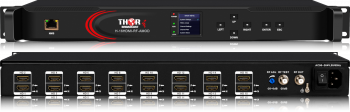
https://thorbroadcast.com/product/16-hdmi-to-analog-agile-catv-rf-modulator-ntsc-8230.html
There is another way to do it if you have 24-135 channels to modulate.
It is more complex; we can encode HDMI to IP streams using a 24-channel HDMI IP encoder, then use a separate IP to QAM gateway.
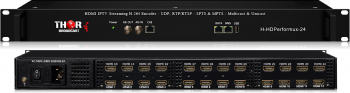
https://thorbroadcast.com/product/4-8-16-24-hdmi-iptv-streaming-8230.html/216
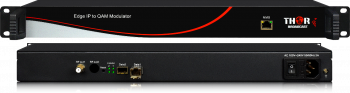
https://thorbroadcast.com/product/iptv-to-16-32-clear-channel-rf-qam-atsc-modulator.html/123
But I would not recommend it for fewer than 24 channels.
Please check the table below:
Frequency MHz RG-59 dB/100 Ft. RG-59 dB/100 M. RG-6 dB/100 Ft. RG-6 dB/100 M. RG-11 dB/100 Ft. RG-11 dB/100 M. 5 0.89 2.92 0.69 2.26 0.38 1.25 55 1.95 6.4 1.6 5.25 0.97 3.18 211 3.59 11.78 2.87 9.41 1.81 5.94 450 5.3 17.38 4.26 13.97 2.65 8.69 550 5.9 19.35 4.71 15.45 2.94 9.64 750 6.96 22.83 5.59 18.34 3.44 11.28 870 7.54 24.73 6 19.68 3.84 12.6 1000 8.09 26.54 6.54 21.45 4.23 13.87 1450 10.54 34.57 8.3 27.22 5.07 16.63 2250 13.7 44.94 10.6 34.77 6.5 21.32 3000 15.5 50.84 11.9 39.03 7.28 23.96 3500 16.74 54.91 12.85 42.15 8.28 27.16
The loss in a coaxial cable refers to the attenuation of signal strength as it travels through the cable. This loss is indeed influenced by the frequency of the signal, including CATV (Cable Television) RF (Radio Frequency) frequencies. Here's a more detailed explanation:
Frequency Dependency: The higher the frequency of the signal, the greater the loss in the coaxial cable. This is because higher-frequency signals have more difficulty penetrating the dielectric material of the cable and are more susceptible to losses due to the skin effect in the conductor.
Cable Characteristics: The amount of loss also depends on the type and quality of the coaxial cable. Different types of coaxial cables have different specifications, such as the diameter of the inner conductor, the type of dielectric used, and the construction of the shielding. For instance, cables with a larger diameter or those with a lower-loss dielectric material will generally have lower attenuation.
CATV RF Frequencies: In the context of CATV, RF signals can range from very low frequencies (like those used for VHF channels) to much higher frequencies (used for UHF channels and broadband internet). The loss per unit length of the coaxial cable will generally increase with the frequency of these signals. This is why distribution systems for CATV often require amplifiers or repeaters at various points to maintain signal quality over long distances.
Additional Factors: Other factors that can influence signal loss in coaxial cables include the cable length (longer cables have more loss), temperature (signal loss can vary with temperature changes), and any physical bends or damage to the cable (which can increase loss).
In summary, the loss in a coaxial cable is both a function of the physical properties of the cable itself and the frequency of the signals it carries, including those used in CATV RF applications.
Thank you for your inquiry. This is a relatively straightforward transition. You can use IRDs (unencrypted) or even satellite STBs (Set-Top Boxes) with HDMI output and feed one or multiple 8-channel HDMI modulators instead of analog Holland modulators. The video quality will improve significantly.
Please check these 8-channel HDMI modulators; they are the key to producing digital QAM or ATSC channels that you can use for hotel distribution, just as you are currently doing with Holland.
You can use our IRDs if the signal is not encrypted; otherwise, you need to use Direct TV's or other satellite providers' STBs with HDMI output. We can use our IRDs with encrypted signals, but you would need to have the provider's CAS cards available.
Gracias por su consulta. Esta es una transición relativamente sencilla. Puede utilizar los IRD (no encriptados) o incluso los decodificadores de satélite (Set-Top Boxes) con salida HDMI y alimentar uno o varios moduladores HDMI de 8 canales en lugar de los moduladores analógicos de Holland. La calidad de video mejorará significativamente.
Por favor, consulte estos moduladores HDMI de 8 canales; son la clave para producir canales digitales QAM o ATSC que puede utilizar para la distribución en hoteles, tal como lo está haciendo actualmente con Holland.
Puede utilizar nuestros IRD si la señal no está encriptada; de lo contrario, debe utilizar los decodificadores de Direct TV u otros proveedores de satélite con salida HDMI. Podemos utilizar nuestros IRD con señales encriptadas, pero necesitaría tener las tarjetas CAS del proveedor disponibles.
H-THUNDER-8 H-IRD-V3 https://thorbroadcast.com/product/ird-satellite-or-atsc-decoder-to-sdi-ip-asi-8230.html/75 H-STB-QAM-ATSC https://thorbroadcast.com/product/qam-catv-rf-and-atsc-rf-to-hdmi-decoder-stb-8230.html Please let me know if that would work for you. Por favor, avíseme si eso funcionaría para usted; tenemos precios especiales de exportación disponibles.I'm going to show you a quick demonstration of the new firmware we just developed for the Thunder 4, one of our most popular models. So, from our website, thorbroadcast.com, I'm going to give you a quick glimpse of that, and again, nothing else changed. We still have the NMS on the front. You have your power and link lights right here to show it's on. You can also set up these units using the D-pad and the buttons right here on the back. Very simple RF in, RF out for HDMI inputs. And you guys can read more about it here, look at some of the older videos, and obviously, at the bottom, PDF manuals.
Okay, so I just plugged in a Blu-ray player or DVD player; it is a Blu-ray 3D Samsung. So, I just plugged it into Port one; it's actually on this side. So, this is Port four. If you're going to the splash screen of the unit, this is 192.168.0.188. Go ahead and log into the unit; admin/admin. From here, you can see that this is a brand new unit out of the box; it already picked up the first HDMI input. Okay, so right from the status screen, you can see that I don't have anything else plugged in except for the first input.
Then you can click on the encode section, and you have all your inputs right here; two, three, four. So for the first one, you can change your bitrate from 525; you can set that to whatever you like, latency 500, 800,000. And we've received some different information about this; this is what we consider to be the fastest setting is 500, but in reality, I think it's probably much faster. There are certain things that pertain to that latency, specifically how fast the encoding is, meaning the resolution of whatever your input source is. So, something at 720p is going to go much faster than 1080p60. I think it's around 200 milliseconds, maybe even faster. But every infrastructure is going to be slightly different, depending on the TV, the receiver in the TV, and things of that nature. So, it's not a definitive, you know, fast, medium, slow, but you can set it up however you like. Again, this is just a ballpark figure. I think it's significantly faster than 500 milliseconds, in either case.
The next section here is AC3 for the audio, MPEG-1 Layer 2, and AAC. You have your TSID number, program number, program name you can change to whatever you like. This one I'm going to change to Blu-ray again. PIDs, your input source is just going to be HDMI on this particular model. And again, you see the status; it's on, it's spinning, and right here you can see we're at 1080i60. All right, make sure you hit apply to save your settings each time you change anything like adding in information. And if you change your sources or plug in different HDMI products, just press get, and it should just pop everything up here in the module eight section. Again, we're making this super easy, built-in attenuator for RF power. Your standards are all built in dvbt; this is nxa, which is European, generally speaking; atsc, that's American off an antenna. J3B is what we're using here for quam, and IDBT, which is another International standard. But you can set it up for quam or atsc, depending on what you're trying to do. Change your constellation, major and minor channel, and again, on our website, you can go ahead and grab things like the quam chart and the atsc chart and look up your frequencies that you want to create those channels on. Use the major and minor channels, and it's that simple. And you can do that for each independent channel; you can actually put each one, whatever channel you like. All right, so it will take up the entire carrier; you can't put two programs on the same RF carrier on this model specifically. We do have other models like the H-4 ADHD; that one will allow you to put up to four HDMI inputs on one RF channel. With a thunder, you cannot do that; each one of these inputs will take up an entire RF channel. So, once you're done setting everything up on whichever channels you like, see as soon as I started putting in 57 MHz for channel two, this jumped to channel two, hit apply, it's going to save, and you're done. And that's it, quick and easy. The rest of the settings, your network password, you can change firmware and configuration, factory settings, save your configs. It's especially important once you're, you know, if you're in a setting where you might have 10 of these for 40 channels, you're in a hotel; you're going to want to save each one independently. God forbid all the power goes out or something like that. As soon as you power these back on, the settings will come right back into place, so it's important to save your config, you know, however you like in case you need them at a later point. But when you're going through the actual settings and you hit apply, that's good enough for the unit to remember what your settings are. Okay, and that's it, guys. If you have any questions, you can reach out to us at Thorbroadcast.com or call 1-800-521-8479.
 This is a 4-port HDMI modulator and will work with your Firestick, no CLOSED CAPTIONS.
This is another 4-port modulator, but it has 4 additional inputs for CC - this will work!
This is a 4-port HDMI modulator and will work with your Firestick, no CLOSED CAPTIONS.
This is another 4-port modulator, but it has 4 additional inputs for CC - this will work!
 However, back to the original point: a Firestick does NOT have an additional output for Line 21 data; so you will not be able to modulate that device with CC with any product.
I know this is a sticking point for you, so I'll clarify further that without the additional CVBS input carrying that data, you will not have closed caption via any device.
The reason you can do CC with HDMI through set-top boxes, like this one from DIRECTV, is because you have both the HDMI and the CVBS coming out of the box. (FIRESTICK does not, so you cannot.)
However, back to the original point: a Firestick does NOT have an additional output for Line 21 data; so you will not be able to modulate that device with CC with any product.
I know this is a sticking point for you, so I'll clarify further that without the additional CVBS input carrying that data, you will not have closed caption via any device.
The reason you can do CC with HDMI through set-top boxes, like this one from DIRECTV, is because you have both the HDMI and the CVBS coming out of the box. (FIRESTICK does not, so you cannot.)
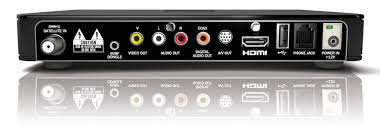 So in the case of APPLE TV, FIRESTICK, PLAYSTATION, you can modulate and put these devices on ATSC channels; however, you will not have closed captions since they lack the appropriate inputs/outputs.
The obvious alternative is just getting a new television; that's always an option.
Hope this helped clarify that for you.
So in the case of APPLE TV, FIRESTICK, PLAYSTATION, you can modulate and put these devices on ATSC channels; however, you will not have closed captions since they lack the appropriate inputs/outputs.
The obvious alternative is just getting a new television; that's always an option.
Hope this helped clarify that for you. 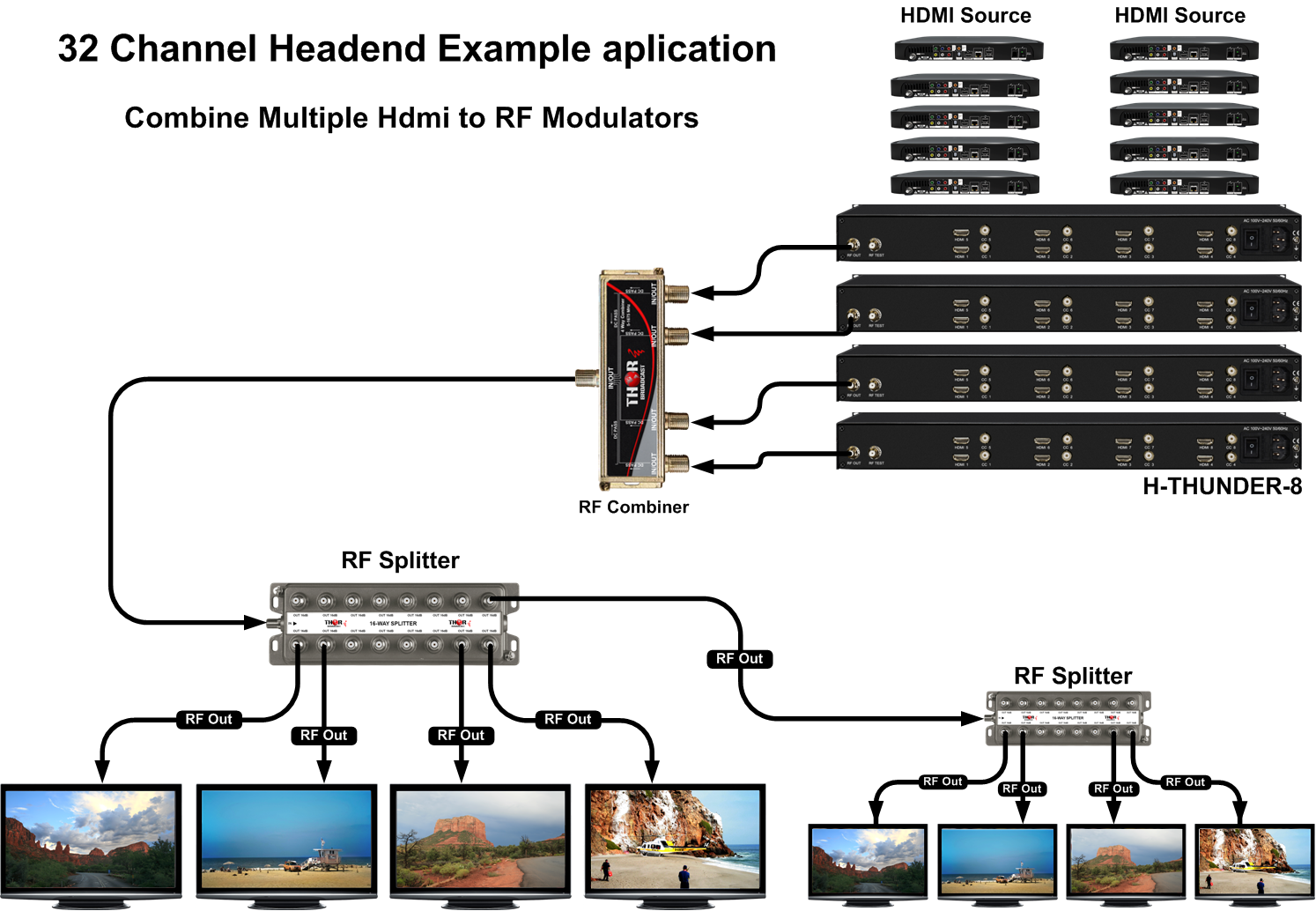
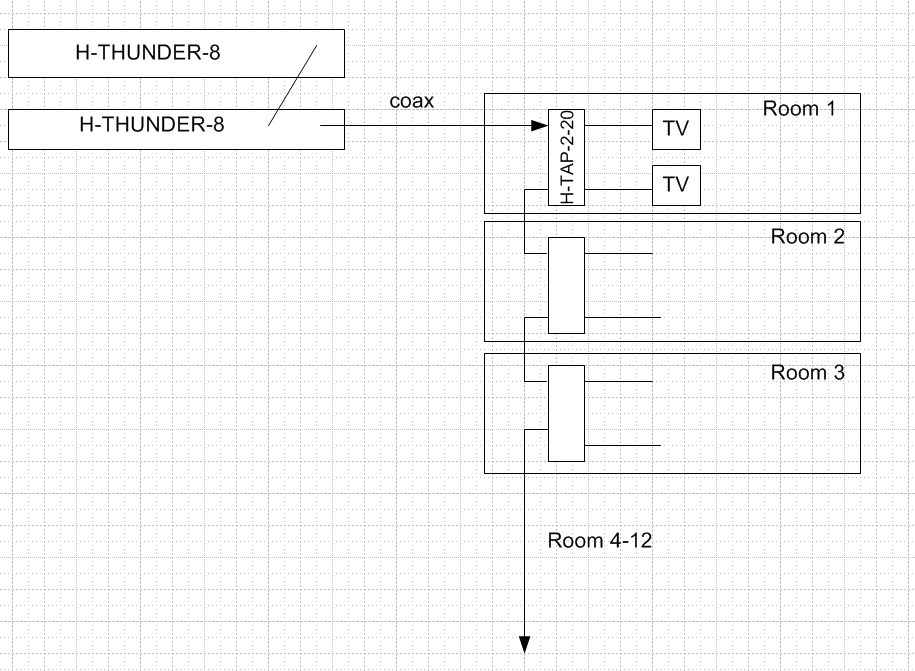
For the 8 SDI inputs, we can use this modulator here: https://thorbroadcast.com/product/8-channel-hdmi-and-sdi-clear-catv-rf-modulator-qam-8230.html
How are you receiving the 10 Sky channels and 4 Freeview channels? Do you have HDMI output decoder boxes?
Or is the feed coming from a satellite dish?
Also, do you intend to send those channels around your building in DVBT or in QAM?
Yes, we can send all those channels through your building together in one RF coaxial cable, but all those channels must be the same RF standard (DVBT or QAM).
We can use a simple RF combiner for this part.
The other part is taking those 14 channels and modulating them into one standard on different channels.
If those 14 channels you receive with decoder boxes have HDMI output, then you can purchase 2 of these models for converting to DVBT or QAM
https://thorbroadcast.com/product/hdmi-modulator-qam-rf-coax-output-full-hd-8230.html/239
We would take the output from those 3 modulators and combine them, then you just plug that coax into your building coax, which will distribute the channels to your 15 TVs.
I hope that makes sense.
Yes, we have some excellent options using Thor modulators.
Specifically in this case, the best option would be to use the higher density Thunder-8 Modulator. This drawing is a great representation of how you can take 4 pcs (32 HDMI inputs and 32 output RF channels) for easy distribution to every room.
Countless hotels, casinos, schools, etc., use the same application and these models to build headends for the same application. As you can see, the 4 modulators go into a small combiner, then that single RF coax cable can be used with taps and amps, etc., to distribute full HD 1080 signal to every room.
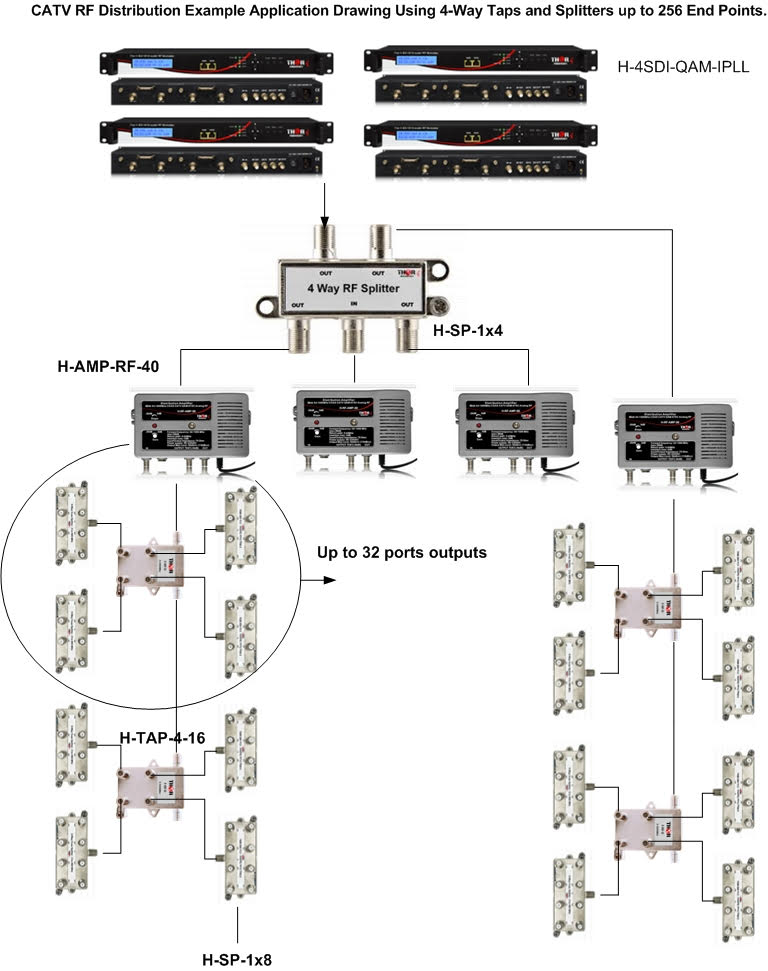 Please refer to the attached application drawing for an example.
Each TV will scan the channels and can display any channel of your choice using the remote control.
Please refer to the attached application drawing for an example.
Each TV will scan the channels and can display any channel of your choice using the remote control. We do have a solution for it.
You can decode those sound-only QAM channels to analog (RCA) audio only using the external QAM tuner H-STB-QAM-IPLL and then use an HDMI + Analog Audio QAM modulator to encode and output QAM or IP.
H-STB-QAM-ATSC link:
https://thorbroadcast.com/product/qam-catv-rf-and-atsc-rf-to-hdmi-decoder-stb-8230.html

The video will come from an HDMI source of your choice, such as a DVD player or PC, and the audio will come from our QAM decoder box, H-STB-QAM-ATSC.
We offer two models that might suit your needs: (they output QAM and UDP multicast IP streams at the same time)
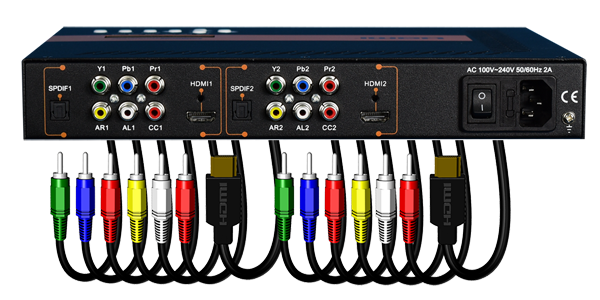

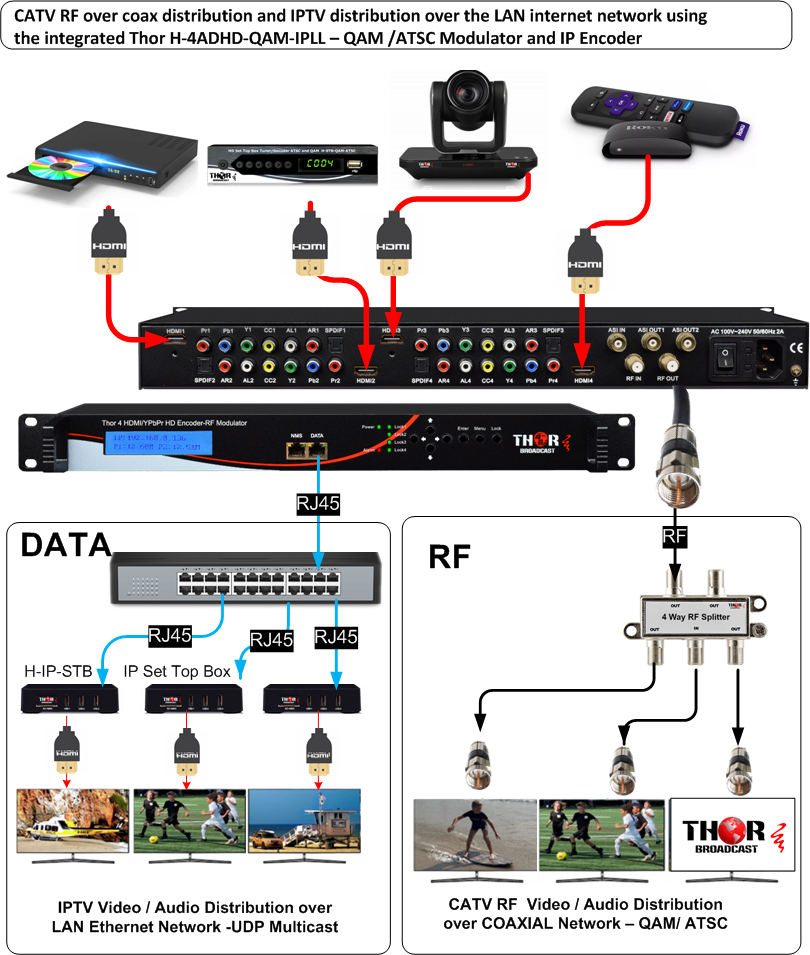
Please let me know if either of these models works for you.
We offer high-performance, reliable devices designed to create digital full HD QAM channels, delivering video and audio quality that closely matches the original HDMI sources. Our expertise lies in HDMI modulator solutions, ensuring top-tier performance for your needs.
For your 12-channel requirement, we recommend either two H-THUNDER-8 units to allow for future expansion or a combination of one 8-channel unit and one 4-channel unit, H-THUNDER-4, offering a more cost-effective solution.
Combining multiple modulators is simple; you just need to select different channels on each one and use a simple 2x1 passive combiner.
We can preset them for you before shipping. Please review the products I've mentioned and let me know if they would work for you.Here is a link to the product page in case your customer would like to check it out: H-8TS-HWTC https://thorbroadcast.com/product/8-program-mpeg2-h264-matrix-hardwaretranscoder.html
The setup would be straightforward: 6 pcs H-Thunder-8 units combined together using an external 1x8 RF splitter/combiner, with the output connected to your distribution system. Each Thunder-8 would be set to different channels, carrying a total of 48 physical QAM channels. The CC can be injected through the CVBS port from your DirecTV receivers, allowing you to enable or disable it at the TV level. Some RF power adjustment may be required since your current analog RF system may operate at a higher RF level. Our modulators output at +38 dBmV, and you'll lose about 11 dB with a 1x8 combiner. TVs are typically able to receive QAM signals in the 0-35 dBmV range, so it would be good to know how much loss there is in your distribution system. If needed, the outputs can be easily boosted at the initiation point or at remote locations.
We have several ways to achieve this. Please give me a call so we can go over the details and discuss the pros and cons of each option.
We can use fiber, coax, or IP. Since you already have an IP network, that might be the easiest route. We offer a 16-channel ATSC-to-IP gateway, which essentially includes 16 independent tuners. Each tuner can be set to a unique ATSC channel (frequency), and each channel typically carries 3-5 transport streams (video programs). The unit converts each TS into its own UDP multicast stream, which can be distributed anywhere on your LAN (wired network)-note that Wi-Fi is not recommended.
From there, you can use our simple IP-to-HDMI set-top boxes anywhere on the LAN to display the content.
Alternatively:
We can convert the antenna signal to fiber and send it over a fiber link, depending on your antenna signal strength. - https://thorbroadcast.com/products/cable-tv-catv-rf-45-900mhz
Or we can use ATSC set-top boxes to decode each channel to HDMI, then feed those signals into our 8-channel HDMI modulators to send them over coax.
As you can see, we can cover this from any angle depending on your setup.
The unit generates 8 individual channels, and they are pre-coded even without an HDMI source. If the source is not connected, a static Thor logo will be displayed. Once you plug in the video source, the logo will switch to the video and audio from that source.
If you'd like to add sound on channels 7 and 8, the best option would be to use a device such as a satellite STB with a radio station or music-only output, and connect it as a static image with audio from HDMI.
Without an actual video image, the modulator will not recognize the source as valid, since it requires a video resolution to lock onto the signal. Please let me know if this explanation is clear.
Yes, this is correct. The digital modulators are actually integrated video MPEG-2 encoders and QAM modulators.
The encoding process takes time, and there's really not much that can be done about it because compression is a very complex process and requires time.
There are some techniques to reduce latency, but there's always a trade-off with video quality. In the Thunder-4, we have three different settings: 100 / 500 / 1000. However, real live testing shows that the latency is closer to 200 ms, not 100 ms. Would that work for you?
Another option would be to use an external set-top box (QAM tuner) with an analog audio output.
You can install it anywhere on the coaxial network, take the audio from it, and feed it into your speaker system. This way, everything would stay in sync.
H-STB-QAM/ATSC
https://thorbroadcast.com/product/qam-catv-rf-and-atsc-rf-to-hdmi-decoder-stb-8230.html
I'm happy to provide clarification on your questions below.
Maximum number of programs per DVB-T/T2 carrier Using our H-4ADHD-DVBT-IPLL, we can multiplex up to 4 TV programs onto a single DVB-T carrier. The cost for this unit is $3995 each.
We also offer an 8-channel DVB-T modulator priced at $3,995; however, this unit operates in a 1:1 configuration (one program per RF carrier) and does not support multiplexing.
Conditional Access (CAM / encryption) At this time, we do not support Conditional Access Modules (CAM) or encryption. All of our DVB-T/T2 modulation solutions are clear (FTA - Free-to-Air) with no content encryption.
Broadcasting on multiple frequencies Each modulator can output one RF frequency per modulated carrier. Multiple frequencies are supported by using multiple modulators, each assigned to its own RF channel.
Please let us know if a clear, unencrypted DVB-T solution would work for your application, or if you need help selecting the appropriate model.
Glad to hear the modulators are working well otherwise. For that long run, you likely need a high-quality line amplifier designed for CATV/RF distribution that can handle the full spectrum and maintain signal integrity over RG-59/RG-11.
The H-Thunder-8 modulators output approximately +35 dBmV per channel. Most TVs are able to receive signals in the 0 to +35 dBmV range. In your case, both RF power level and signal quality (MER) are being reduced as the signal passes through the RF splitters and coaxial cabling. The amount of loss depends on the splitter configuration, cable type, and run length.
You can review typical splitter and combiner losses here: https://thorbroadcast.com/product/coax-multiplexers-splitters-combiners-f-type-input-output-catv-atsc-or-8230.html
There are a couple of things you can try:
Switch modulation from QAM 256 to QAM 64. QAM 64 is more tolerant of noise and attenuation and generally performs better over longer or older coaxial runs.
Add an RF amplifier on the affected leg of the network (where channels are not reaching). Please note that the RF amplifier must support low input signal levels, typically in the 0 to +8 dBmV range. Feeding the amplifier with too high an input level can cause distortion and additional channel loss.
These are quick suggestions to try first. If the issue persists, a CATV RF QAM analyzer would be very helpful, as it allows you to measure RF level and MER at multiple points along the coaxial network and clearly identify where the signal is degrading.
In addition, if you have fiber, this is the unit you could use to extend RF over fiber instead of coax. https://thorbroadcast.com/product/thor-optical-mini-catv-rf-transmitter-45-1000mhz.html https://thorbroadcast.com/product/thor-fiber-optical-mini-ftth-rf-catv-cable-tv-receiver-8230.html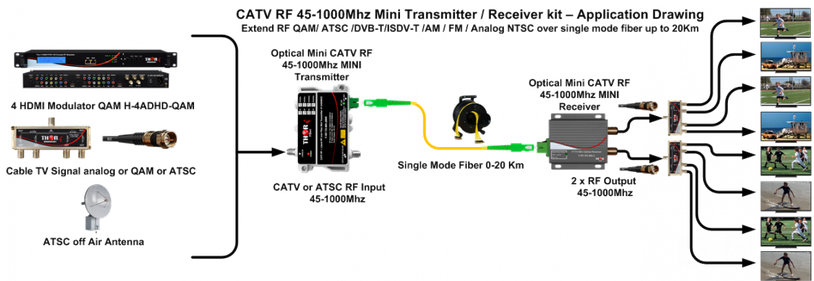
Adam Understood. For those channel counts, the most cost-effective solution would likely be using multiple 8-channel HDMI RF modulators, specifically our Thunder-8 units.
Are you currently on our website? I can guide you to the product.
Alex: Yes, I can pull it up.
Adam Go to thorbroadcast.com, then click the first category: HDMI RF Modulators. On that page, look for the 8-channel unit (Thunder-8)-it has blue labels showing 1, 2, 4, and 8 channel models.
If you scroll down, you'll see an application drawing for a 32-channel headend, which shows four modulators connected to a combiner, with the combined RF output distributed through a splitter.
Alex: Got it.
Adam So for 24 channels, you would need three Thunder-8 units. For around 60 channels, you would typically use eight units combined together.
The system is very straightforward. We can pre-program the modulators before shipping, assigning specific cable TV channels to each HDMI input so none of the RF channels overlap. That makes installation very easy.
Each HDMI input becomes its own independent cable TV channel on the RF output.
Alex: Perfect. The client already has coax infrastructure in place.
Adam That's ideal. Do they currently have set-top boxes in each room?
Alex: Yes, they do. Our goal is to centralize all those set-top boxes in an IT closet instead.
Adam Exactly-that's the typical deployment. All set-top boxes are installed in a central rack, connected to the modulators, and the RF output is distributed through the building's existing coax network. That's how most installations are done today.
I reviewed the ZeeVee HDB2312, and it appears to be a 12-channel CVBS QAM modulator. We offer several different solutions depending on what type of inputs you would like to use and how you want to build the system.
Option 1 — HDMI Sources (Most Common for Digital Signage)If your sources are HDMI, the most straightforward way to create a 24–30 channel headend would be to use our 8-channel HDMI RF modulators:
H-Thunder-8 – 8 Channel HDMI to QAM / ATSC Modulator
https://thorbroadcast.com/product/hdmi-modulator-qam-rf-coax-output-full-hd-8230.html/239?
?
Each unit can encode 8 HDMI sources directly into RF channels. For a 24-channel system, you would typically use three Thunder-8 units, which would give you 24 independent digital TV channels on your coax network.
This solution is very popular for digital signage, hospitality, sports bars, and healthcare facilities because it is simple, reliable, and plug-and-play.
- --Option 2 — Off-Air ATSC Channels → IP → QAMIf you would like to pull programming from off-air ATSC broadcasts, we can also do that using an ATSC-to-IP gateway.
Example units:
8 Channel ATSC to IP Gateway - H-8ATSC-IP
https://thorbroadcast.com/product/atsc-or-qam-to-ip-gateway-atsc-qam-iptv-broadcast-8230.html/70
16 Channel ATSC to IP Gateway H-16ATSC-IP
https://thorbroadcast.com/product/16-rf-tuners-to-iptv-1.html/116
These devices tune 8 or 16 physical ATSC RF frequencies. Each ATSC frequency typically contains multiple sub-channels (programs) — usually 3–4 programs per frequency.
The gateway extracts the entire transport stream and converts it to IP multicast streams.
How the Multiplexing Works
Each ATSC frequency contains a Multiprogram Transport Stream (MPTS). This MPTS contains multiple TV programs bundled together in a single stream.
The gateway can:
• Receive the MPTS from the ATSC tuner • Demultiplex the programs internally • Output separate multicast IP streams (SPTS) for each program
Example:
ATSC RF Channel 24 may contain:
• 24.1 – Main HD channel • 24.2 – Weather channel • 24.3 – News channel • 24.4 – Sports channel
The gateway can convert this into separate multicast streams, for example:
239.1.1.1:1234 → Channel 24.1 239.1.1.2:1234 → Channel 24.2 239.1.1.3:1234 → Channel 24.3 239.1.1.4:1234 → Channel 24.4These are standard UDP multicast IPTV streams that can travel across a normal Ethernet network.
Converting IP Streams Back to QAMOnce the channels exist as IP multicast streams, they can be fed into an IP-to-QAM gateway, which converts the IPTV streams back into RF channels for distribution over coax.
Example:
IP to QAM Gateway H-IPRF-16QAM
https://thorbroadcast.com/product/iptv-to-16-32-clear-channel-rf-qam-atsc-modulator.html/122
H-IPRF-32QAM
https://thorbroadcast.com/product/iptv-to-16-32-clear-channel-rf-qam-atsc-modulator.html/123
The IP-to-QAM unit will:
• Receive the multicast streams from the ATSC gateway • Remultiplex them into new QAM transport streams • Output QAM channels on coaxial cable
Each QAM RF channel can typically carry multiple HD programs, allowing efficient RF spectrum usage.
Typical ArchitectureATSC Antenna ↓ ATSC → IP Gateway ↓ IP Multicast Network (MPTS/SPTS streams) ↓ IP → QAM Modulator ↓ RF QAM Channels on CATV Network ↓ TVs / Set-top boxes
We would be happy to review your specific requirements and recommend the best architecture for your system. Depending on the number of channels and source types, there are several ways we can optimize the solution.Customer: Hi Dave, I’m looking for some kind of modulator to convert DirecTV receivers into an HD QAM system.
Adam: Sure. How many channels are you looking for?
Customer: I saw something on your website that looked like an 8-channel HDMI modulator.
Adam: Yes, we still have that unit. It’s called the Thor Broadcast Thunder?8 HDMI QAM Modulator.
Product link: https://thorbroadcast.com/product/8-channel-hdmi-and-sdi-clear-catv-rf-modulator-qam-8230.html
It has 8 HDMI inputs and generates 8 individual QAM channels that can be distributed over coax to TVs. (B&H Photo Video)
Customer: Do you have a 16-channel version?
Adam: Not in a single unit. The maximum is 8 channels per modulator, but you can simply use multiple modulators and combine them.
For example:
1 Thunder-8 = 8 channels
2 Thunder-8 units = 16 channels
3 units = 24 channels
They can all be combined on the RF side.
Customer: So if I install two systems, I can combine them together?
Adam: Yes. Each unit creates its own set of RF channels. You simply combine the RF outputs using a splitter used in reverse as a combiner, or sometimes directly through the loop output.
You can assign channel numbers through the web interface, or we can pre-program the channel lineup for you before shipping.
For example:
Unit 1 → channels 2–9
Unit 2 → channels 10–17
Customer: The system I’m replacing is an older system from around 2012. It used analog modulators from DirecTV receivers.
Adam: That’s very common. The good news is that in many cases you can disconnect the analog modulators and plug the digital ones in their place.
Digital QAM typically works well with the same RF distribution network.
Customer: I have around 144 TVs on the system.
Adam: That’s fine. As long as the coax distribution system already exists, the Thunder modulators will inject digital channels into the same RF network.
Digital TVs are often more tolerant of signal levels than analog, so the system may work without major changes.
Customer: Some TVs are older analog sets.
Adam: For those TVs you would use a decoder set-top box such as the Thor Broadcast H?STB?QAM/ATSC Decoder.
Product link: https://thorbroadcast.com/product/qam-catv-rf-and-atsc-rf-to-hdmi-decoder-stb-8230.html
This unit receives QAM or ATSC RF channels and outputs HDMI, component, or composite video, making it compatible with older displays.
Customer: The system is actually on a drilling vessel offshore.
Adam: Ah, okay. That makes sense. Many offshore vessels and cruise ships use this exact architecture.
Customer: We also have an IP camera system onboard that outputs H.264. About 10 cameras.
Adam: In that case you would use IP decoder set-top boxes to convert the camera streams to HDMI, then feed that HDMI into the Thunder modulator to create RF channels. H-STB-IP - https://thorbroadcast.com/product/compact-ip-decoder-set-top-box.html
So the flow would be:
IP Camera → IP Decoder → HDMI → Thunder Modulator → RF Channel
Customer: Some cameras are still analog too.
Adam: That’s not a problem. We also have modulators that accept both HDMI and analog composite inputs, allowing analog cameras to be converted to digital RF channels.
Customer: We also looked at the Technicolor COM3000 system.
Adam: Those systems can be very expensive.
Adam: Our solution is typically a fraction of that cost, even multiple units would still be significantly less expensive.
Customer: That’s why I’m looking at your system. I saw it installed on another vessel and it worked well.
Adam: That’s great to hear. Offshore vessels are actually one of the common environments for these systems.
Customer: Okay. Once we finalize the number of channels and cameras, I’ll get back to you.
Adam: Sounds good. I’ll prepare a quote for:
Thunder-8 modulators
QAM set-top boxes (if needed)
IP decoder boxes for cameras
DirecTV to QAM system
ship TV distribution system
HDMI to QAM modulator
CATV system for vessels.
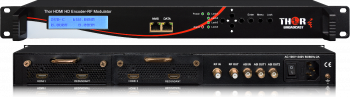 1- 4 HDMI to QAM Modulators and IPTV Streaming Encoders 1080p/60
Converts 1-4 HDMI digital video inputs to coax - CATV US cable format or DVB-C encoding: HD MPEG-2 or HD H.264 streams. Outputs: RF in QAM-256 J.83A/B/C, ASI, & IP UDP, RTP/RTSP, HD 720p/1080i/1080p
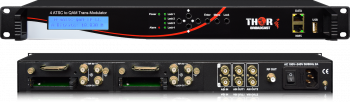 RF input to RF output Transmodulator - DVB-S/S2, QAM, ATSC, DVB-T
4 RF input to RF output - latest-generation transmodulators for satellite, terrestrial, and cable TV applications. DVB-S/S2 to QAM, DVB-S/S2 to ATSC, ATSC to QAM, and more

 ES
ES






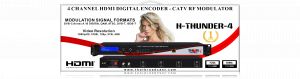


 Thank you for your questions. Please find my answers below:
1- What type of devices we can use from Thor to implement this solution. - H-THUNDER-8
2- Will it be IPTV over coaxial. - NO
3- Will we use the existing coaxial cables. -YES
4- What type of TV sets should we use. TV's with RF runners, F-type input
5- Is there a middleware to be used with this type of service. -NO
6- Will we be able to integrate with hotel PMS system. -NO
7- If we have channels that received on satellite receivers with HDMI output, how can we broadcast it over coaxial.- Please read the explanation below:
The easiest way to implement your project would be to use multiple 8ch HDMI modulators and combine them together.
For example, if you want to create 32 channels, you would need 32 HDMI sources from any device, such as DVD players, satellite STBs, local over-the-air decoders, or IPTV devices like Roku STBs. You would connect all of them to our modulators, and we would create a 32-channel modulated CLEAR QAM or DVB-T signal.
Every TV connected to your existing or new coaxial network can receive this signal. Basically, every TV with a QAM tuner can scan the channels, and you can change them using the remote control.
So, you would create a passive network where the channels are available anywhere on the coaxial network. Please check this application drawing for more information.
Let me know if this is clear or if you have any further questions.
H-THUNDER-8
Thank you for your questions. Please find my answers below:
1- What type of devices we can use from Thor to implement this solution. - H-THUNDER-8
2- Will it be IPTV over coaxial. - NO
3- Will we use the existing coaxial cables. -YES
4- What type of TV sets should we use. TV's with RF runners, F-type input
5- Is there a middleware to be used with this type of service. -NO
6- Will we be able to integrate with hotel PMS system. -NO
7- If we have channels that received on satellite receivers with HDMI output, how can we broadcast it over coaxial.- Please read the explanation below:
The easiest way to implement your project would be to use multiple 8ch HDMI modulators and combine them together.
For example, if you want to create 32 channels, you would need 32 HDMI sources from any device, such as DVD players, satellite STBs, local over-the-air decoders, or IPTV devices like Roku STBs. You would connect all of them to our modulators, and we would create a 32-channel modulated CLEAR QAM or DVB-T signal.
Every TV connected to your existing or new coaxial network can receive this signal. Basically, every TV with a QAM tuner can scan the channels, and you can change them using the remote control.
So, you would create a passive network where the channels are available anywhere on the coaxial network. Please check this application drawing for more information.
Let me know if this is clear or if you have any further questions.
H-THUNDER-8